Content Index
- Advantages and Limitations of SSE
- Advantages
- Limitations
- SSE vs WebSockets
- 1. Flow Architecture
- Use Cases and Efficient Implementation
- Output Mechanism: Buffers and Data Stream in PHP
- 2. Flow Architecture
- 3. Backend - Connection Control
- Controller Key Points
- 4. Frontend — Receiving the Stream on the Client (JavaScript / Vue)
- Component Key Points
- 5. Tests (Pest PHP)
- 6. Verification with curl
- 7. Production Notes
- Worker blocking
Server-Sent Events (SSE) are a technology based on the standard HTTP protocol that allows the server to send real-time updates to the client over an open connection. Unlike WebSockets, it does not require a specific protocol or a standalone messaging server (such as Pusher or Reverb); it can be used directly within existing infrastructure.
In this architecture, the client is built with JavaScript (for example, using Vue's reactivity) and the backend is responsible for emitting the event stream (using frameworks like Laravel, Django, FastAPI, Express, or any Node.js environment).
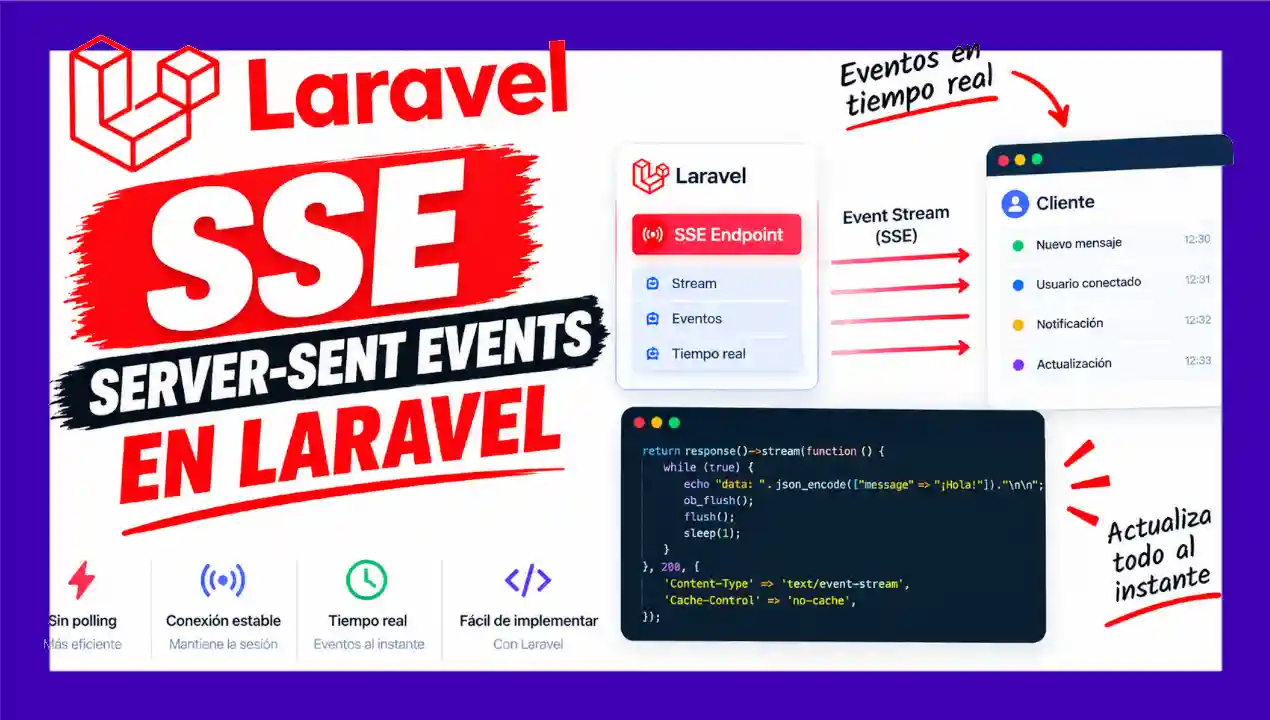
Server-Sent Events (SSE) is a technology that allows the Laravel server to send real-time updates to the Vue application through a single open HTTP connection.
Advantages and Limitations of SSE
To determine when to implement SSE instead of WebSockets, it is necessary to consider its main features:
Advantages
- Standard protocol: Works directly over HTTP/HTTPS without special configurations on the server.
- Automatic reconnection: Modern browsers handle reconnection natively if the signal is interrupted.
- Development simplicity: Simple data formatting and processing (usually in JSON format).
- Does not require an extra server (Pusher, Reverb…)
- Compatible with all modern browsers
Limitations
- Unidirectionality: Communication flows exclusively from the server to the client. If the client needs to send data, it must perform a traditional HTTP request (POST, PUT, etc.).
- Connection limit: Under HTTP/1.1, browsers limit concurrent connections to a maximum of 6 per domain.
- Emission frequency: Not designed for ultra-high-frequency applications (such as real-time video games), making it ideal for intervals of one second or higher.
- Not ideal for high frequency (<1s between events)
SSE vs WebSockets
| Feature | SSE | WebSockets |
|---|---|---|
| Direction | Unidirectional | Bidirectional |
| Protocol | HTTP/1.1 or HTTP/2 | ws:// or wss:// |
| Reconnection | Automatic (EventSource) | Manual (must implement) |
| Infrastructure | Standard HTTP | Pusher, Reverb, Socket.io… |
| Complexity | Low | Medium-High |
1. Flow Architecture
┌────────────┐        GET /api/v1/events        ┌────────────────┐
│            │ ───────────────────────────────▶ │                │
│            │                                  │    Laravel     │
│   Vue 3    │    HTTP 200                      │  (PHP Worker)  │
│  Browser   │ ◀── Content-Type: text/event-... │                │
│            │                                  │                │
│            │    data: {"msg":"Notif #1"}\n\n   │  sleep(2) × 10 │
│            │    data: {"msg":"Notif #2"}\n\n   │                │
│ EventSource  data: {"msg":"Notif #3"}\n\n   │  → event:      │
│ .onmessage    ...                             │    closed      │
│            │    event: closed\n\n               │                │
│            │ ──── connection.close() ──────▶ │  flush()       │
└────────────┘ └────────────────┘- The client (Vue) opens a standard HTTP connection to
/api/v1/events. - Laravel does not close the response: it sets the header
Content-Type: text/event-stream. - In a loop, it sends formatted data as
data: {JSON}\n\n. - The browser's
EventSourcereceives each event and executesonmessage. - Upon completion, the server sends an
event: closedevent and closes the connection. - The client calls
EventSource.close()to clean up the socket.
Use Cases and Efficient Implementation
SSE is ideal for notification panels, progress bars for heavy background tasks, or live update systems. Given the limit on concurrent connections in shared servers or under HTTP/1.1, it is recommended to open and close the stream intentionally:
- On-demand connection: Open the connection only when the user interacts with the module (for example, when opening the notifications menu or a chat interface).
- Interval polling (Distributed polling): Activate the connection for short periods periodically (for example, every 5 or 10 minutes) to check for new events and close it immediately afterward.
Output Mechanism: Buffers and Data Stream in PHP
To stream data progressively without waiting for full script execution to finish, you must manipulate the output buffering system of PHP and the web server using ob_flush() and flush().
The technical output streaming flow operates across two layers:
ob_flush()(Application Level): Flushes PHP's internal output buffer.flush()(Server Level): Forces the buffered data from the web server out to the client browser.
Without calling these two functions sequentially, the server would retain all messages emitted by echo statements and deliver them in a single block once the loop finishes, forfeiting real-time behavior.
2. Flow Architecture
┌────────────┐        GET /api/v1/events        ┌────────────────┐
│            │ ───────────────────────────────▶ │                │
│            │                                  │    Laravel     │
│   Vue 3    │    HTTP 200                      │  (PHP Worker)  │
│  Browser   │ ◀── Content-Type: text/event-... │                │
│            │                                  │                │
│            │    data: {"msg":"Notif #1"}\n\n   │  sleep(2) × 10 │
│            │    data: {"msg":"Notif #2"}\n\n   │                │
│ EventSource  data: {"msg":"Notif #3"}\n\n   │  → event:      │
│ .onmessage    ...                             │    closed      │
│            │    event: closed\n\n               │                │
│            │ ──── connection.close() ──────▶ │  flush()       │
└────────────┘ └────────────────┘- The client (Vue) opens a standard HTTP connection to
/api/v1/events. - Laravel does not close the response: it sets the header
Content-Type: text/event-stream. - In a loop, it sends formatted data as
data: {JSON}\n\n. - The browser's
EventSourcereceives each event and executesonmessage. - Upon completion, the server sends an
event: closedevent and closes the connection. - The client calls
EventSource.close()to clean up the socket.
3. Backend - Connection Control
When implementing a streaming response (for example, using response()->stream() in Laravel), you must continuously check the connection state to release resources if the client closes the tab or loses signal.
The following flow exemplifies the event emission structure:
- Disconnection check: The
connection_aborted()function is evaluated before each iteration. If the client has disconnected, execution of the loop is stopped. - SSE message format: The SSE specification requires the basic structure
event: name\ndata: { ... }\n\n. - Close notification: When the heavy task or data loop finishes, a custom event is sent (for example,
event: close) to notify the client that transmission has ended. - Required HTTP headers: The response must include the headers
Content-Type: text/event-stream,Cache-Control: no-cache, andConnection: keep-alive.
File: app/Http/Controllers/Api/SSEController.php
<?php

namespace App\Http\Controllers\Api;

use App\Http\Controllers\Controller;
use Illuminate\Http\Request;
use Symfony\Component\HttpFoundation\StreamedResponse;

class SSEController extends Controller
{
    public function stream(): StreamedResponse
    {
        return response()->stream(function () {
            // Disable PHP buffering to send data instantly
            if (ob_get_level() > 0) {
                ob_end_flush();
            }
            flush();

            // Simulate sending 10 notifications
            for ($i = 1; $i <= 10; $i++) {
                if (connection_aborted()) {
                    break;
                }

                echo $this->formatEvent($i);
                flush();
                sleep(2);
            }

            // Notify client to close connection cleanly
            echo $this->formatClosedEvent();
            flush();
        }, 200, $this->sseHeaders());
    }

    /**
     * Mandatory SSE format: data: {JSON}\n\n
     */
    public function formatEvent(int $iteration): string
    {
        $data = json_encode([
            'message' => "Notificación #{$iteration}",
            'time'    => now()->toTimeString(),
        ], JSON_UNESCAPED_UNICODE | JSON_THROW_ON_ERROR);

        return "data: {$data}\n\n";
    }

    /**
     * Final event to close the connection without automatic reconnection.
     */
    public function formatClosedEvent(): string
    {
        return "event: closed\ndata: {\"message\":\"Stream finalizado\"}\n\n";
    }

    /**
     * SSE Headers: no-cache, keep-alive, Nginx buffering off.
     */
    public function sseHeaders(): array
    {
        return [
            'Cache-Control'         => 'no-cache',
            'Content-Type'          => 'text/event-stream; charset=utf-8',
            'Connection'            => 'keep-alive',
            'X-Accel-Buffering'     => 'no',
        ];
    }
}
Controller Key Points
1
StreamedResponse instead of a normal JSON. The callback runs line by line without closing the HTTP socket.2
echo reaches the browser immediately, rather than at the end of the script.3
4
5
<?php

namespace App\Http\Controllers\Api;

use App\Http\Controllers\Controller;
use Symfony\Component\HttpFoundation\StreamedResponse;

class SSEController extends Controller
{
    public function stream(): StreamedResponse
    {
        return response()->stream(function () {
            for ($i = 1; $i <= 10; $i++) {
                // connection_aborted() is still necessary in imperative loops
                if (connection_aborted()) {
                    break;
                }

                $this->sendSseEvent('message', [
                    'message' => "Notificación #{$i}",
                    'time' => now()->toTimeString(),
                ]);

                sleep(2);
            }

            // Explicit closure event
            $this->sendSseEvent('closed', ['message' => 'Stream finalizado']);
        }, 200, $this->sseHeaders());
    }

    /**
     * Helper to emit formatted events according to the SSE specification
     */
    private function sendSseEvent(string $event, array $data): void
    {
        echo "event: {$event}\n";
        echo 'data: ' . json_encode($data, JSON_UNESCAPED_UNICODE) . "\n\n";

        if (ob_get_level() > 0) {
            ob_flush();
        }
        flush();
    }

    private function sseHeaders(): array
    {
        return [
            'Cache-Control' => 'no-cache',
            'Content-Type' => 'text/event-stream; charset=utf-8',
            'Connection' => 'keep-alive',
            'X-Accel-Buffering' => 'no',
        ];
    }
}
Backend — Route:
File: routes/api.php
<?php

use App\Http\Controllers\Api\SSEController;

// Server-Sent Events: unidirectional stream of real-time notifications
Route::get('/v1/events', [SSEController::class, 'stream']);
Laravel automatically prefixes /api to all routes in routes/api.php, making the final URL GET /api/v1/events. You can verify this with php artisan route:list --path=events.
Note on connections
The route does not use auth:sanctum middleware so that it can easily be tested with a browser. In production, add authentication to secure the endpoint. The browser's EventSource automatically sends session cookies if the route is on the same domain.
4. Frontend — Receiving the Stream on the Client (JavaScript / Vue)
No additional libraries are required in the browser, as the native EventSource API is used to consume the endpoint:
- Instantiation: An instance of
EventSource('/api/v1/events')is created pointing to the API route. - Listening to custom events: Listeners are registered via
addEventListener('message', ...)to process incoming data and append it to the reactive UI data structures. - Handling closure and errors: The close event configured by the server or the error event (
onerror) is listened to in order to invoke the disconnect function (eventSource.close()) and reset the UI state.
File: resources/js/vue/componets/SSEComponent.vue
<template>
  <div>
    <div>
      <h1>
        Live Notifications (SSE)
      </h1>

      <div>
        <o-button
          v-if="!isConnected"
          iconLeft="play"
          variant="success"
          @click="connect"
        >Connect</o-button>

        <o-button
          v-else
          iconLeft="stop"
          variant="danger"
          @click="disconnect"
        >Disconnect</o-button>
      </div>

      <p v-if="isConnected">
        Connected to stream...
      </p>

      <ul v-if="messages.length > 0">
        <li
          v-for="(msg, index) in messages"
          :key="index"
        >
          <strong>[{{ msg.time }}]:</strong> {{ msg.message }}
        </li>
      </ul>
    </div>
  </div>
</template>

<script>
export default {
  data() {
    return {
      messages: [],
      eventSource: null,
      isConnected: false,
    }
  },

  beforeUnmount() {
    this.disconnect()
  },

  methods: {
    connect() {
      // EventSource handles connection and automatic reconnection
      this.eventSource = new EventSource('/api/v1/events')

      this.eventSource.addEventListener('open', () => {
        this.isConnected = true
      })

      // Runs for each data: {JSON}\n\n
      this.eventSource.addEventListener('message', (event) => {
        this.messages.push(JSON.parse(event.data))
      })

      // Listen for custom "closed" event from server
      this.eventSource.addEventListener('closed', () => {
        this.disconnect()
      })

      this.eventSource.addEventListener('error', () => {
        if (this.eventSource.readyState === 2) {
          this.isConnected = false
        }
      })
    },

    disconnect() {
      if (this.eventSource) {
        this.eventSource.close()
        this.eventSource = null
        this.isConnected = false
      }
    },
  },
}
</script>
Component Key Points
1
data: ... format automatically.2
EventSource retries the connection on its own. When receiving event: closed, it is manually closed beforehand.3
4
EventSource.CLOSED. We only update isConnected when the connection is truly closed (2), not while reconnecting (0).Router and navigation:
Route added in router.js
import SSE from "./componets/SSEComponent.vue";

// Added to route list:
{
  name: 'sse',
  path:  '/vue/sse',
  component: SSE
}
Link in App.vue
<router-link
  :to="{ name: 'sse' }"
>
  SSE
</router-link>
The link is available to all users (without v-if="$root.isLoggedIn" condition).
5. Tests (Pest PHP)
File: tests/Feature/SSEControllerTest.php
<?php

use App\Http\Controllers\Api\SSEController;

describe('SSEController', function () {
    describe('stream', function () {

        it('returns an SSE response with the correct headers', function () {
            $response = $this->get('/api/v1/events');

            $response->assertOk();
            expect($response->headers->get('Cache-Control'))
                ->toContain('no-cache');
            $response->assertHeader(
                'Content-Type',
                'text/event-stream; charset=utf-8'
            );
            $response->assertHeader('Connection', 'keep-alive');
            $response->assertHeader('X-Accel-Buffering', 'no');
        });

        it('streams events in the SSE format', function () {
            $controller = new SSEController;

            $event = $controller->formatEvent(1);

            expect($event)
                ->toMatch('/^data: \{"message":"Notificación #1",/')
                ->toEndWith("\n\n");
        });

        it('encodes JSON without escaping accents', function () {
            $controller = new SSEController;

            $json = trim(substr(
                $controller->formatEvent(2),
                strlen('data: ')
            ));

            expect(json_decode($json, true))
                ->toMatchArray([
                    'message' => 'Notificación #2',
                ]);
        });

        it('formats the closing event with the closed name', function () {
            $controller = new SSEController;

            expect($controller->formatClosedEvent())
                ->toStartWith('event: closed')
                ->toContain('"message":"Stream finalizado"');
        });
    });
});
Run tests:
php artisan test --compact --filter=SSEControllerTest
6. Verification with curl
To check the stream from the terminal:
# View the first few events (~6 seconds)
curl -sN --max-time 6 http://larafirststep.test/api/v1/events

# Expected output:
data: {"message":"Notificación #1","time":"13:18:42"}

data: {"message":"Notificación #2","time":"13:18:44"}


# View all 10 events + closure (~24 seconds)
curl -sN --max-time 24 http://larafirststep.test/api/v1/events | tail -3

# Last lines:
event: closed
data: {"message":"Stream finalizado"}
The -N flag
The -N flag (equivalent to --no-buffer) tells curl to show each line as it arrives, without waiting for the full server buffer.
7. Production Notes
Worker blocking
During streaming, the PHP worker remains blocked (busy) for the entire duration (sleep(2) × 10 = 20s). In production setups with few workers (FPM), this can saturate the server.
Solutions:
- • Use Swoole or Octane (async server)
- • Publish events via Redis Pub/Sub with
Redis::subscribe()