Content Index
- Why choose the Book format for your training?
- From Beginner to Senior: The Truth About Learning Laravel Inertia
- Why is Inertia the Preferred Bridge for Startups?
- Decision Table: Why choose Inertia over the Classic setup?
- The "Pro Approach": How your code changes with Inertia
- Your Learning Path: Mastery in SPAs with Inertia
- Guaranteed Book Phases:
- Free Resources to Start NOW
- Free Community Book
- Project Repository
- Try the Demo Application
- Why learn Laravel Inertia today?
- Unprecedented Productivity
- A Natural Workflow
- Detailed Syllabus of the Course and Book
- Integrating Laravel 13 with Inertia and Vue 3
- Unique Advantages of this Training
- Author's Real-World Experience
- Frequently Asked Questions
- Algunas recomendaciones
Building modern web applications has never been so accessible and fun. With Laravel Inertia, you can forget about the unnecessary complexity typical of the Laravel + REST API + Vue combo. It is the ultimate solution for those looking for the power of an SPA with the simplicity of monolithic development.
"Inertia proposes another way to develop: faster, more natural, and above all, more productive. It is the magical bridge that makes Laravel and Vue feel like a single thing."
You can see the details of this master book at the bottom. Just like my other books, this is a long-term investment: I will keep the content updated for new versions, and you will have access to exclusive support through our Academy.
What you will learn in this Master book
- Why Laravel Inertia 3 is the layer that simplifies your workflow by 50%.
- Goodbye REST API: How to communicate the server with your Vue components without configuring endpoints or manual Axios.
- Full-Stack Pro: Developing complex applications like Shopping Carts and Drag & Drop systems.
- Third-Party Integration: Implementation of CKEditor, Toast messages, and advanced confirmation dialogs.
- Clean Architecture: Using controllers, middlewares, and smart redirects directly with Vue.
Free Update to Laravel 14
Why choose the Book format for your training?
While our video books are ideal for following step-by-step, the book version of [Technology - e.g., Laravel 13] is designed for those developers looking for a quick technical reference resource and more reflective learning.
- Ideal for instant reference: Thanks to its structured index and internal search engine, you can locate that design pattern or code configuration in seconds, without having to navigate through minutes of video.
- Deep reading without distractions: Perfect for studying at your own pace, underlining key concepts, and diving deep into software architecture during those disconnection moments.
- Total portability (PDF, ePub, and Kindle): Take your training with you. Whether on your tablet, e-reader, or smartphone, you will have access to the entire DesarrolloLibre ecosystem without needing an internet connection.
- The perfect complement to code: While the course teaches you the implementation, the book delves into the why behind each technical decision, becoming your go-to manual for daily professional life.
From Beginner to Senior: The Truth About Learning Laravel Inertia
Learning a modern stack can be overwhelming if you try to split the frontend from the backend excessively. The typical confusion: "How do I handle authentication in my SPA? How do I sync state?". With Inertia, those worries disappear because you keep working in your familiar Laravel environment.
If you have ever felt that the SPA learning curve is an endless wall, let me tell you: you are in the right place. Inertia is not a new framework you have to study from scratch; it is a layer that "disappears" to let you build what you imagine with the speed you need.
Why is Inertia the Preferred Bridge for Startups?
Inertia allows you to preserve all the classic Laravel structure (routes, controllers, validations) while delivering a top-tier reactive user experience with Vue. It is maximum efficiency: less code, fewer bugs, and simplified maintenance.
Decision Table: Why choose Inertia over the Classic setup?
| Step | Key Concept | What is it for? | Priority |
|---|---|---|---|
| 1 | Base Configuration | Install the middleware and configure Vite so that Laravel recognizes your Vue components. | High (Essential) |
| 2 | Inertia::render() | Return Vue components with props from your controllers instead of using Blade. | High (Essential) |
| 3 | Shared Data | Handle global data like the authenticated user or flash messages without manual props. | Medium-High |
| 4 | Persistence & Scrolling | Maintain page state and scroll position during SPA navigation. | Medium (Advanced) |
| 5 | Testing with PHPUnit | Ensure your components receive the correct data using unit tests. | Medium (Specialization) |
The "Pro Approach": How your code changes with Inertia
Observe the elegance of moving from a traditional view to a reactive component without losing control of the backend:
public function index() {
  $posts = Post::all();
  return view('posts.index', compact('posts'));
}public function index() {
return Inertia::render('Posts/Index', [
'posts' => Post::all()
]);
}With Inertia, your backend remains pure Laravel, but your frontend is a modern and reactive Vue application.
Your Learning Path: Mastery in SPAs with Inertia
I have designed this methodology so you can start from core concepts all the way to building complex applications with shopping carts and dynamic reordering.
Guaranteed Book Phases:
- Phase 1: Configuration and Structure. Installing Inertia, creating projects, and understanding core operations.
- Phase 2: CRUD Mastery and UI. Handling redirects, flash messages, file uploads, and advanced filters.
- Phase 3: Real Applications. Building a complete Shopping Cart and a Blog with dynamic views.
- Phase 4: Robustness and Quality. Drag & Drop reordering and creating unit tests with PHPUnit.
- Phase 5: Projects. Customizable and reusable Datatable, Component-driven components via a step-by-step form, Blog, CKEditor, To-Do List, Shopping Cart, Infinite Navigation, and more.
Free Resources to Start NOW
Access exclusive material to experience the power of Inertia before deciding on the full book:
Free Community Book
Learn the foundations of Inertia with our free Lite version. Ideal for taking your first steps today.
Project Repository
Explore the codebase we will use in the book. Full transparency on the technical level we will achieve:
Try the Demo Application
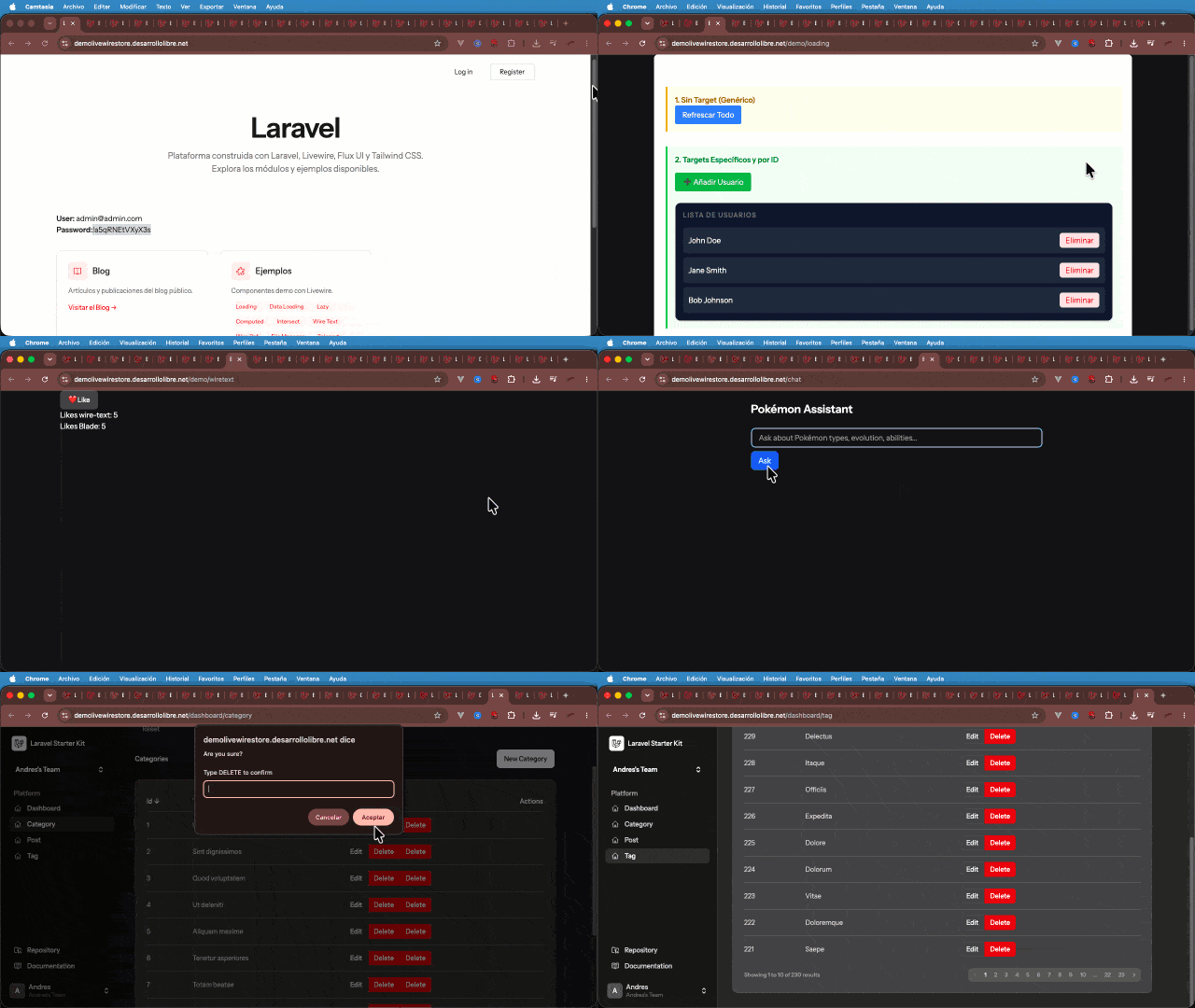
Interact with the final project you will build in the book.
Why learn Laravel Inertia today?
In modern development, delivery speed is key. Inertia allows you to be incredibly fast by eliminating the need to create and maintain a separate REST API for your frontend.
Unprecedented Productivity
When I built my first apps with Inertia, I noticed I was moving almost twice as fast. Not having to manually sync complex states with the backend makes a massive difference in real-life projects.
A Natural Workflow
The experience is clean and smooth. If you already know Laravel and a bit of Vue, you will feel right at home from the very first minute. It is the perfect balance between simplicity and reactive power.
Detailed Syllabus of the Course and Book
This 7-chapter book is designed to guide you step-by-step through constant practice:
- Module 1: Fundamentals and First Steps with Inertia and its components (Ch. 1-2)
- What is Inertia, advantages, installation, creating a project, project structure, pagination, and basic CRUD.
- Module 3: Advanced Interface, Plugins, and Uploads (Ch. 3)
- We will see how to handle uploads in Inertia and extend Inertia with plugins like Oruga UI, CKEditor…
- Module 4: Real Projects: (Ch. 5-7)
- Blog and Cart Lists, Filters and Sorting, To-Do List, Blog, step-by-step form, and more.
- Module 5: Testing and Quality with PHPUnit (Ch. 9)
Integrating Laravel 13 with Inertia and Vue 3
The integration is so seamless that it greatly eases development and maximizes project execution time. These are the pillars we cover:
- Creation of the base project with Inertia support.
- Replacing Blade views with reactive Vue 3 components.
- Handling routes and controllers by returning the Inertia::render object.
- Implementing third-party plugins like CKEditor directly in Vue.
- Quality assurance through robust integration tests.
Unique Advantages of this Training
- No manual Axios/Fetch: You will learn to use Inertia's scaffolding so it handles all client-server communication.
- Book Equivalence: You have 100% of the content in both formats, ideal for studying anywhere.
- Comparative Approach: We compare Inertia with its "sibling" Livewire so you know when to choose each technology.
- Continuous Updates: Like all my books, this material stays up to date with the latest versions of Laravel.
Author's Real-World Experience
“When I discovered Laravel Inertia, the way I built SPAs changed forever. In this book, I don't just teach you theory, but the distillation of real-world projects where Inertia has allowed me to deliver results twice as fast as traditional APIs. It is the most fun and productive workflow I have experienced in years of Laravel development.”
Frequently Asked Questions
- Do I need to know advanced Vue?
- Having basic notions is enough; here you will learn how Inertia empowers Vue within Laravel.
- Is it for beginners in Laravel?
- No. This book is intermediate level and assumes you already know how to program with basic Laravel (Routes, Models, etc.).
- Is the source code included?
- Yes, in each practical chapter we encourage you to replicate and modify the provided code for true mastery, plus you have the code on GitHub.
- “Fast updates for a market that doesn't stop.”
- While major version updates may require a complete overhaul of video courses, the book format is my most agile resource. This allows me to deliver improvements, fixes, and adaptations to the latest tools in the market in record time, ensuring your reference guide never becomes obsolete.
- Support, extra resources, and continuous updates.
- On my blog, I publish tools, examples, snippets, videos, and best practices that expand the course and are pulled from the book and course.
- I don't have money
- If you don't have money to start, I always make available a 100% FREE LITE version with essential classes and the community book.