In this comparison, we evaluate two fundamental scaffolding tools for the Laravel ecosystem: Livewire and Inertia.js. Both are installed on top of Laravel to enhance our development capabilities, but under radically different philosophies: Livewire keeps all logic on the server using PHP, while Inertia delegates interactivity to the client using a JavaScript framework.
In the case of Inertia, we will use Vue.js as the frontend framework (although Inertia also supports React and Svelte), whereas Livewire is my favorite option for administrative environments due to its tight integration with the Laravel core.
Throughout this article, we will compare real-world implementations: a DataTable, a To-Do List, a Blog, a Shopping Cart, and a step-by-step form, to determine which technology best suits each type of project.
DataTable
Content Index
- DataTable
- Usage Philosophy: Which one to choose?
- DataTable Implementation in Livewire
- Implementation in Inertia.js (Vue 3)
- ⚔️ Conclusions for the DataTable
- Events, Nesting, and Component Communication
- The Concept of a Component
- Backend Implementation (Laravel)
- Frontend Management and Reusability
- The Win of Automatic Layouts
- Reactivity and Communication: The Critical Point
- Complexity in Livewire
- Clarity in Inertia (Vue 3)
- Verdict: Which is Better for a Step-by-Step Form?
- To-Do List
- Features and User Experience
- Technologies and Dependencies
- Server Analysis (Backend Logic)
- Implementation with Inertia
- Implementation with Livewire
- The Client Challenge: Vue.js vs. Livewire + Alpine
- Conclusion: Which One to Choose?
- Blog
- The SEO Challenge in SPA Applications
- Performance and Resource Loading
- Development and Code Complexity
- Result: Tie
- Shopping Cart
- CRUD Structure and Operation
- Item Logic:
- Reactivity: Livewire vs. Inertia
- The Livewire Problem:
- The Inertia Advantage (Vue/React):
- Events in Livewire
- This Is NOT a Component, IT IS a View: The Modularity Difference
- But… How Is It Not a Component?
- From the Basics: Components in Laravel
- Comparison with Livewire
- My Darkest Fantasy… Livewire + Vue Would Be Beautiful
- Fantasizing about Combinations
- Livewire: Laravel Components on "Steroids"
- My Fantasy: Livewire + Vue or Improved Inertia
- When Vue is NOT Necessary
- When Vue IS Useful
- What Is Laravel Inertia Really Used For?
- SPA and SEO: A Complicated Relationship
- Inertia: Vue Instead of Blade
- Inertia for Dashboards: Not the Best Option
- REST API + Laravel: The Most Scalable Option Nowadays
- The Only Thing Laravel Livewire Needs to Be Perfect: A State Manager
- Inertia and Its Approach
- Livewire: More All-Terrain?
- Alpine vs Vue: What I Would Like to See
- Communication Between Components: The Real Dilemma
- Comparison with Other Technologies: Vue and Flutter
- What Is a State Manager?
- Why Livewire Needs This
- How Could It Be Implemented?
- Conclusion: Who Wins in the Livewire vs Inertia Comparison?
Usage Philosophy: Which one to choose?
There is no magic tool; it all depends on your project's needs:
- Inertia.js (Vue/React/Svelte): It is ideal when you are looking for extremely rich client-side interactivity. For my own academy, I chose Vue because the Node.js ecosystem and its browser extensions are unmatched in terms of available components and libraries.
- Livewire: It is unbeatable in development speed for admin panels (dashboards) and complex forms, as it allows you to code almost everything in PHP without leaving the Laravel ecosystem.
DataTable Implementation in Livewire
Livewire stands out for being concise. Being tied directly to the server, communication between the view and the backend is transparent to the developer. In my implementation, I use an organized component system to keep the code clean and reusable.
To make the DataTable reusable across different sections of the project, we extend a custom abstract class named DataTableComponent:
abstract class DataTableComponent extends Component
{
    use WithPagination;
    public string $sortColumn = 'id';
    public string $sortDirection = 'desc';
    public function sort(string $column): void
    {
        $this->sortColumn = $column;
        $this->sortDirection = $this->sortDirection === 'asc' ? 'desc' : 'asc';
}- Abstract Classes: We use inheritance to define common behavior (such as sorting) without repeating code in every listing. The
DataTableComponentclass encapsulates all pagination and sorting logic. - Query Scopes: In Laravel, we implement
scopesin models to centralize search filters. This allows us to implicitly harness the power of Eloquent and keep controllers clean. - Elegant Filters: Instead of using multiple
ifconditionals, we employ Eloquent'swhen()method. This makes the code more readable and efficient, activating filters only when requested by the user.
ponent
{
    #[URL]
    public ?string $search = null;
    public array $columns = [
        'id' => 'Id',
        'title' => 'Title'
    ];
    protected function getAllFilters(): array
    {
        return [
            'search' => $this->search
        ];
    }
    protected function getModelClass(): string
    {
        return Category::class;
    }
    public $categoryToDelete;
    function with(): array{
        $categories = Category::
            filterDataTable($this->getAllFilters())
            ->paginate(10);
        return [
            'categories' => $categories
        ];
    }
In the Blade view, sorting is triggered with a simple wire:click to the server:
<button wire:click="sort('{{ $key }}')" class="flex items-center gap-1">Source code at:
https://github.com/libredesarrollo/curso-libro-livewire-4
Implementation in Inertia.js (Vue 3)
With Inertia, the server-side logic is similar, but the client side becomes more complex. Since there isn't as direct a bridge as in Livewire, we must manually manage communication between Vue components using the event and props system.
To make sorting reusable in Vue, we use Composables. These allow us to share reactive logic between components, but the resulting event flow is more intricate:
- A child component (the table header) emits an event when clicked.
- The parent receives the event and updates the sorting parameters.
- Inertia performs a
GETrequest to the server to refresh data without losing page state.
That is, from resources/js/components/shared/DataTable/DataTableHeader.vue:
@click="handleSort(key)"We emit to the parent component resources/js/components/shared/DataTable/DataTable.vue:
<DataTableHeader
   ***
  @sort="handleSort"
And this in turn emits to the top-level parent in resources/js/pages/dashboard/post/Index.vue:
<DataTable
  ***
   @sort="applyFilters">
In Livewire, being PHP components bound to the server, communication is direct. In Inertia with Vue, the chain of events between components adds considerable complexity, especially as the component tree grows.
Source code at:
https://github.com/libredesarrollo/curso-libro-laravel-inertia-3/
⚔️ Conclusions for the DataTable
Here is where Livewire (with Flux) wins by a landslide compared to the standard Inertia setup:
- Livewire + Flux: Flux is a seamless integration between Blade, Tailwind, and Laravel. It provides us with ready-to-use components (tables, buttons, calendars, breadcrumbs) with a clean, declarative syntax. We don't need to worry about passing complex props; we simply define arrays in PHP and everything works.
- Inertia: By default, the components shipped with Inertia starters are often too atomic or insufficient for real-world scenarios. You often end up building DataTables manually, which adds maintenance overhead and unnecessary logic to your solution.
Aesthetically, you can achieve the same visual result with both technologies, but Livewire is much more direct. As the saying goes: "the best programmer is not the one who solves the most problems, but the one who avoids them." All the event and communication logic that Vue/Inertia requires feels like unnecessary noise when what you want is pure server-bound functionality.
Author's note: If you want to dive deeper into these implementations, remember that this content is part of my complete Laravel courses and books. You can find all the material, source code, and detailed guides in my Academy.
All in all, a huge point for Livewire in this section:
- Livewire: 1
- Inertia: 0
Events, Nesting, and Component Communication
After comparing how DataTables work—where Livewire emerged as the winner due to its simplicity and reduced logic—, in this section we analyze building step-by-step forms and how each technology manages communication between nested components.
The Concept of a Component
A component is a modular, reusable unit of work. In this exercise, we aim for total modularity. For instance, the contact creation form is an independent component that can be consumed from various contexts:
- From a main "step-by-step" page.
- Inside a blog post.
- As a modal in another section of the site.
Both Livewire (with its "vitaminized" components) and Inertia (based on Vue 3, React, or Svelte) use this concept as the core axis of their architecture.
Backend Implementation (Laravel)
On the backend side, there are no major differences, as both technologies rely on the same Laravel foundation:
- Livewire: Manages validation directly within the component class or via
Form Objects. On submission, rules defined with the#[Validate]attribute are applied, and standard Laravel CRUD is executed. - Inertia: Although the controller is practically identical to that of a standard Laravel application, we typically delegate validations to a
Form Requestor a separate class to maintain separation of concerns.
new #[Layout('layouts.contact')] class extends Component {
    use WithFileUploads;

    public $step = 1;

    #[Validate('required|min:2|max:255')]
    public $subject;

    #[Validate('required|min:2|max:255')]
    public $message;

    #[Validate('required')]
    public $type = 'person';

    public $contactGeneral;
Frontend Management and Reusability
Here is where we truly measure the ease of adapting and reusing components across different project contexts.
The Win of Automatic Layouts
Both technologies gracefully handle automatic layout detection:
- Inertia: If a component is consumed via a route, it loads the defined layout; if consumed as a child component within another Vue page, the layout is not loaded, preventing template duplication.
- Livewire: The exact same thing happens. If invoked as a component inside another Blade view—for example, with
@livewire('show-contact')—the main layout is not rendered.
This is a massive advantage over vanilla Laravel without Livewire, where an @extends in Blade would load the master template regardless of how the view is consumed.
Reactivity and Communication: The Critical Point
Complexity in Livewire
In Livewire, reactivity can become confusing due to the coupling between PHP and JavaScript.
- Events: To communicate a child component with the parent, we use the event system with
$dispatch. However, reading the code doesn't always make it clear which component is listening to that event unless you have the full tree in mind.#[On('stepEvent')] public function stepEvent($step) { $this->step = $step; } *** <flux:button wire:click="$dispatch('stepEvent',[1])">Back</flux:button>
- Alpine.js and Interaction: Livewire relies on Alpine.js to handle client-side reactivity. While powerful, mixing
wire:model,wire:get, and Alpine objects can create visual and mental "noise", especially for beginners.<div x-data="{ active:$wire.entangle('step') }" class="flex mx-auto flex-col sm:flex-row">
- Key Limitation: If a child component has not been rendered (due to being under an
@ifconditional), it cannot easily receive events from the parent, limiting fluidity in flows with multiple conditional steps.
Clarity in Inertia (Vue 3)
Inertia offers a more modular and predictable experience thanks to Vue's native reactive system:
- Separation of Concerns: The controller returns data, and Vue handles 100% of the client logic without mixing paradigms.
- Props and Events: When using Vue, communication via
propsandemitsis standard and predictable. If you see an event, you know exactly where it is defined in the JavaScript code.<ContactCompany :contactGeneralId="contactGeneral.id" @back-step-event="backStep" v-if="$page.props.step == 2" :contactCompany="contactGeneral.company" />
True Reactivity: Vue is extremely clever in this aspect. Even if a component is under a v-if, the moment it renders, communication and state synchronize naturally. We can communicate from the child component to the parent even if the child component was not initially loaded—something Livewire cannot do with the same fluidity.
- In Livewire, if a child component is not loaded when the page initializes, you cannot send messages from the parent directly:
<livewire:contact.company :parent-id="$contactGeneral->id" />
***
company.blade.php
 // Does not work because its children are not rendered by the @if/Blade
    #[On('parentId')]
    public function setParentId(int $parentId): void
    {
        $this->parentId = $parentId;

        if ($this->parentId) {
            $modelClass = $this->getModelClass();
            $this->model = $modelClass::where('contact_general_id', $this->parentId)->first();
            $this->setModelData($this->model);
        }
    }
Verdict: Which is Better for a Step-by-Step Form?
In this specific exercise, Inertia with Vue takes the point for the following reasons:
- Easier Debugging: Because server and client are not tightly coupled on every minor interaction, isolating and analyzing where something fails is easier.
- Error Handling: In Inertia, Vue's
formobject handles errors locally and modularly. In Livewire, if not managed carefully, the global error object can cause conflicts when nesting multiple forms in the same view. - Expressiveness: Vue's syntax for managing complex state (such as the current step of a multi-stage form) feels more natural and less prone to unnecessary server roundtrip errors.
- Summary: While Livewire won in the DataTable comparison due to implementation speed, Inertia wins in complex, nested components thanks to its robustness and true client-side reactivity.
Ultimately, although I am Team Livewire, Inertia deserves its point in this module:
- Livewire: 1
- Inertia: 1
To-Do List
We compare two implementations of a To-Do List application: one using Inertia.js (Vue) and another with Livewire backed by Alpine.js. The application is simple yet functional: it includes CRUD (Create, Read, Update, Delete) operations centralized on a single screen, allowing us to evaluate which development workflow is more efficient.
Features and User Experience
Both versions feature inline editing. Selecting a task allows us to edit it directly, and changes persist in the database without reloading the page.
- Task Management: Marking and unmarking items as completed, creating new tasks, and deleting individual tasks.
- Design and Styling: The design varies slightly between the two versions. In one, I used prebuilt Flux components, while in the other, I applied custom Tailwind CSS styles from scratch.
- Interactivity: Both versions feature Drag & Drop support for task reordering and real-time searching.
Technologies and Dependencies
The main focus of this comparison is evaluating client-side development: Vue.js vs. Livewire + Alpine.js.
- Backend: Very similar in both cases, relying on classic Laravel controllers with Eloquent.
- Frontend: We use Sortable.js as an external dependency for drag-and-drop reordering.
- Project Origin: The Livewire version grew out of an application we first built 100% in Alpine.js (available in my books and courses) to subsequently demonstrate how to integrate it seamlessly with the server.
Server Analysis (Backend Logic)
Implementation with Inertia
In Inertia, we work with traditional Laravel controllers. We have methods to retrieve the list, create, and update tasks. We include ordering logic using a foreach that updates the positions of received IDs, always filtering by the authenticated user to ensure data security.
Implementation with Livewire
Here we use an "all-in-one" component. We define validation rules using #[Validate], the mount() method to load initial data, and functions for save(), delete(), and setPositions(). The model holds no mystery; it is a straightforward structure working identically for both technologies.
The Client Challenge: Vue.js vs. Livewire + Alpine
The real challenge lies on the client side, where each technology highlights its philosophy more clearly.
- Alpine.js with Livewire: We define an
x-datablock. In this project, due to complex logic, I extracted it into a separate function. We use the@scriptdirective to correctly load Livewire's JavaScript and avoid rendering issues. Most notably, direct communication: we use$wire.dispatch()to dispatch actions to the server without setting up manual routes or using Axios or Fetch.<div x-data="data()" x-init="order()" class="max-w-xl mx-auto py-8"> <flux:card> *** <div class="mt-6"> <ul x-ref="items" class="space-y-2" wire:ignore> <template x-for="t in filterTodo()" :key="t.id"> <li :id="t.id" class="flex items-center gap-3 p-3 bg-zinc-50 dark:bg-zinc-800 rounded-lg"> <input type="checkbox" x-model="t.status" @change="$wire.dispatch('update', { todo: t })" class="w-5 h-5 rounded border-zinc-300 text-purple-600 focus:ring-purple-500" > <div class="flex-1"> <template x-if="completed(t)"> <span class="text-green-600 text-sm font-medium">Completado</span> </template> <template x-if="!completed(t)"> <span class="text-orange-600 text-sm font-medium">Pendiente</span> </template> <span x-text="t.name" @click="t.editMode=true" x-show="!t.editMode" class="block mt-1"></span> <flux:input type="text" @keyup.enter="t.editMode=false; $wire.dispatch('update', { todo: t })" x-model="t.name" x-show="t.editMode" class="mt-1" /> </div> <flux:button variant="danger" size="sm" @click="remove(t)" icon="trash"> </flux:button> </li> </template> </ul>
- Vue.js with Inertia: Considered more elegant by many for being a complete, mature framework. We import components, define
propsfor the task list, and handle forms using Inertia'sform.post()helper. Although it is more structured and maintains a clear separation between client and server, it requires defining routes inweb.phpand managing an automatically generated JS routes file with Ziggy.<template> <WebLayout> <o-modal v-model:active="confirmDeleteActive"> <p class="p-4 text-black"> Are you sure you want to delete the record? </p> <div class="flex flex-row-reverse gap-2 bg-gray-100 p-3"> <o-button variant="danger" @click="remove">Delete</o-button> <o-button @click="confirmDeleteActive = false">Cancel</o-button> </div> </o-modal> <div class="mycard mx-auto mt-10 max-w-2xl"> <div class="mycard-body"> <form @submit.prevent="create" class="mb-2 flex gap-2"> <div class="flex-1"> <Input v-model="form.name" placeholder="What needs to be done?" /> </div> <Button :disabled="form.processing">Send</Button> </form> <ul ref="todoListRef" class="mt-6"> <li v-for="element in dtodos" :key="element.id" class="group mt-2 flex items-center rounded-lg border bg-white px-4 py-3 shadow-sm"> <span class="drag-handle mr-2 cursor-grab text-gray-400">::</span> <div class="ml-3 flex-1"> <span v-if="!element.editMode" @click="element.editMode = true" class="block w-full cursor-pointer"> {{ element.name }} </span> <Input v-else v-model="element.name" @keyup.enter="update(element)" @blur="element.editMode = false" auto-focus /> </div> </li> </ul> </div> </div> </WebLayout> </template>
Conclusion: Which One to Choose?
Comparing lines of code, both implementations are nearly tied (around 250 total lines).
- Inertia (Vue): More structured and robust, but at the cost of writing more code and managing more files spread across controllers, routes, and Vue components.
- Livewire (Alpine): Simpler and more elegant in its integration. Everything feels more cohesive (Livewire, Alpine, and third-party plugins), which is precisely the magic of this ecosystem: development speed without switching paradigms.
For this comparison, I declare a technical tie:
- Livewire: 2
- Inertia: 2
Blog
In this new comparison, we analyze building a Blog (listing and detail view with filters). Let's review the scoreboard up to this point:
- DataTables: Livewire won for being more reactive and easier to maintain.
- Step-by-Step Form: The point went to Inertia, as Vue outperforms Alpine.js in reactive power for client-side components.
- To-Do List: Technical tie.
The SEO Challenge in SPA Applications
A critical point when developing a public blog is SEO. Client-side technologies like Vue, React, or Svelte struggle in this area because content loads asynchronously via JavaScript, and Google does not always properly index content that is not present in the initial server HTML.
However, Inertia.js solves this with SSR (Server Side Rendering). By using the Inertia::render() function instead of traditional Laravel view(), the server processes the component and sends data (title, metadata, and content) already rendered inside the HTML. This enables Google to read the content as soon as the page loads, without waiting for client-side JavaScript execution (as would happen in an onMounted lifecycle hook).
For its part, Livewire does not suffer from this issue natively, as it is a technology born on the server that renders HTML directly from the very first HTTP response.
Performance and Resource Loading
A blog must be lightweight and fast-loading. In my personal experience (such as on my own blog Desarrollo Libre), I try to prevent the page from being blocked by external resources that delay the First Contentful Paint.
- Inertia: Loads the core of Vue and Inertia, which adds some weight in JS, although it is manageable with code splitting and route lazy loading.
- Livewire: Loads its own JavaScript script, which includes the AJAX update system.
In my case, even when using Livewire, I prefer to exclude its scripts in sections that do not require reactivity and use Alpine.js only for minimal details (such as highlighting the active menu button). I load all non-essential JS (advertising, secondary scripts) asynchronously so that the user experience is instantaneous from the very first moment.
Development and Code Complexity
When comparing the code of both implementations for the Blog module:
- Server Logic: It is practically identical. Both leverage the power of Laravel —such as Eloquent
Scopesfor filters—, so there is no clear winner here. - Code Length (View/Component):
- Livewire: Wins in simplicity. The
show.blade.phpfile has about 87 lines containing all the logic and view layout. - Inertia: The Vue component goes up to about 102 lines, to which you have to add the code of the dedicated controller.
- Livewire: Wins in simplicity. The
Even though Inertia is slightly more extensive, it gives us access to the entire Vue plugin ecosystem and its DevTools, which is an implicit advantage for projects requiring greater interactivity.
Result: Tie
Both Inertia and Livewire resolve the blog module with solvency. Inertia competes on the SEO front thanks to SSR, and Livewire remains the king of development speed. The overall score stands at 3 to 3.
- Livewire: 3
- Inertia: 3
Shopping Cart
Let's move on to another key module: the shopping cart. Its operation is based on the philosophy of my platform, where I manage different types of publications: regular posts, courses, books, and ads.
For "advertising" type items (which act as products in this context), we use the shopping cart. The most interesting thing here is the communication between components, similar to what we analyzed in the "step-by-step" module.
CRUD Structure and Operation
The structure is organized around the main Cart component, which is used both for the dedicated cart page and for the embedded mode in the product detail. Within this, we use another component called CartItem.
Item Logic:
The CartItem manages the project's CRUD. An item can be modified to increase its quantity or deleted (by setting the quantity to zero).
- Frontend Management: We use an array where the
post_idserves as a unique reference, avoiding the need to iterate through the entire cart to check if a product already exists. - Backend Management: The logic remains identical between Inertia and Livewire; it only changes depending on whether you define it in a traditional controller or in a Livewire component class.
<?php

use Livewire\Component;
use Livewire\Attributes\Layout;
use Flux\Flux;
use App\Models\Post;
use App\Models\ShoppingCart;

new #[Layout('layouts.web')] class extends Component
{
    protected $listeners = ['itemDelete' => 'getTotal', 'itemAdd' => 'getTotal', 'itemChange' => 'getTotal'];

    public $type = 'list';
    public $post;
    public $cart;
    public $total;

    function mount(?Post $post, $type = 'list')
    {
        $this->type = $type;
        $this->post = $post;
        $this->cart = session('cart', []);
        $this->getTotal();
    }

    function addItem(Post $post)
    {
        $cart = session('cart', []);
        $cart[$post->id] = [$post->id, 'count' => 1];
        session(['cart' => $cart]);
        $this->dispatch('itemAdd');
    }

    public function getTotal()
    {
        if (auth()->check()) {
            $this->total = ShoppingCart::where('user_id', auth()->id())->sum('count');
        }
    }
};
Reactivity: Livewire vs. Inertia
This is where we find Livewire's "Achilles' heel" for this type of module.
The Livewire Problem:
In Livewire, communication between components is not automatic. If you modify a CartItem, you must manually notify the parent component to reload the total or update the interface.
Unlike JavaScript frameworks, Livewire does not have true client-side reactivity, but rather a "simulated" one through server requests. This makes component synchronization more manual and, in some cases, prone to visual inconsistencies if events are not handled correctly.
The Inertia Advantage (Vue/React):
In Inertia with Vue, reactivity is natural and smooth. You don't need to manually emit events to update the cart total; you simply perform the operation with router.post(), and when the shared state is updated, all components that depend on that data refresh automatically.
Events in Livewire
What I like least about Livewire's event system is its dispatch() method. Although powerful, it becomes extremely abstract in projects with many components.
- Lack of explicit reference: You can emit an event with
$this->dispatch('itemAdd'), but it is not always obvious which component is listening to it. If you resume a project months later, you quickly lose track of the flow. - Low coupling: advantage and disadvantage: It's good because it allows any components to communicate with each other, but bad because it can generate a disorganized structure where events are fired without a clear dependency hierarchy.
In terms of lines of code, both are very close (around 160 lines for the most complex components).
What I like about Livewire's structure: In terms of file organization, Livewire guides you more toward a clear default structure —pages in their Pages folder, separated from reusable components—, similar to how Laravel organizes models and controllers by convention.
$this->dispatch('itemAdd');This Is NOT a Component, IT IS a View: The Modularity Difference
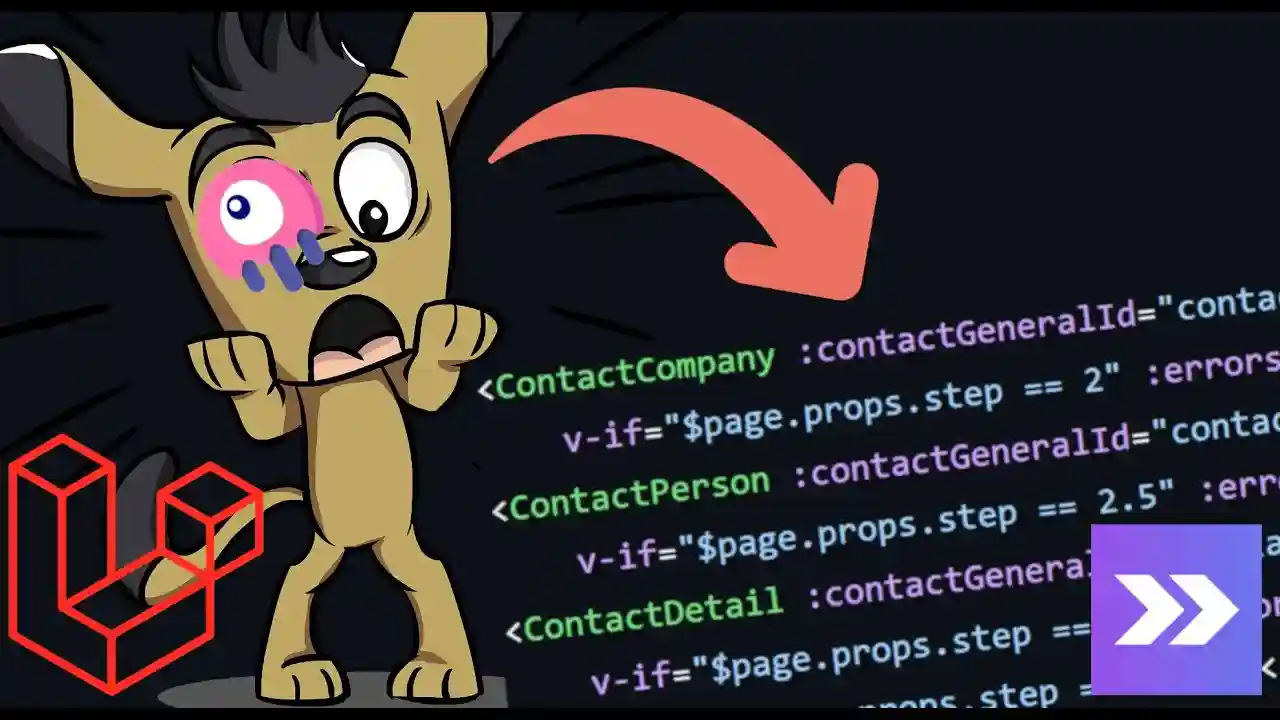
What we have here in Inertia is not a component in the strict sense within the context of a Laravel application. Or at least, it isn't in the same way we understand it in Livewire.
What on earth do I mean?, you might ask.
Let me give you some context. This is, so to speak, my own interpretation, born from having developed real applications using Laravel Inertia. Let me explain why I consider that what we see here is, in essence, simply a view:
        <contact-layout>
           <general-form :errors="errors" :contactGeneral="contactGeneral"/>
           <company-form :contactCompany="contactGeneral.company"/>
        </contact-layout>
But… How Is It Not a Component?
The first thing you might object to me is:
"Look, that's clearly a Vue component! Can't you see it?"
And yes, technically you are right. The code above is a .vue file, it has its <template> and its <script> block. In the Vue ecosystem, it is a component. Correct.
But to understand my point of view, you have to compare it with how Livewire manages the same concept. What happens with Inertia is that we use that .vue file directly as a view —the final destination of a route—. That doesn't make it a modular component in the sense that you can reuse it as an autonomous unit that loads its own data from the server.
From the Basics: Components in Laravel
In classic Laravel, components encapsulate reusable UI elements. We had:
- Anonymous components (
resources/views/components/), more organized than a loose view. - Class-based components, which require logical initialization and are tied to a PHP class.
With those concepts clear: in Inertia, we are forced to pass all data manually from the controller for the component to work. Being independent technologies, there is no deep integration between the server and the Vue component.
Comparison with Livewire
In the Livewire equivalent:
@livewire('contact.company', ['parentId' => $pk])We only pass an identifier to it. With that ID, Livewire internally resolves and executes the related class:
    function mount($parentId)
    {
        $this->parentId($parentId);
    }

    function parentId($parentId)
    {
        $this->parentId = $parentId;
        $c = ContactCompany::where('contact_general_id', $this->parentId)->first();
        if ($c != null) {
            $this->name = $c->name;
            $this->identification = $c->identification;
            $this->extra = $c->extra;
            $this->choices = $c->choices;
            $this->email = $c->email;
        }
    }

    public function render()
    {
        return view('livewire.contact.company');
    }
Livewire automatically executes the mount() method, initializes the component with its own data, and you don't worry about manually passing all the information to it from the controller.
That's why I consider the Inertia component to be, rather, a view rendered with data: it doesn't have its own lifecycle controlled from the server nor does it self-initialize with its business logic.
My Darkest Fantasy… Livewire + Vue Would Be Beautiful
Fantasizing about Combinations
I don't want to give a definitive opinion, because there really is nothing concrete to implement today, but I do like to reflect on interesting combinations among the technologies I use daily with Laravel.
After all the analyses of Inertia, I would love to imagine a deep integration between Livewire and Vue: merging the reactivity and ecosystem of Vue with Livewire's self-initialization and server-client communication capabilities.
Inertia: just swapping Blade for Vue.
The basic idea of Inertia is very simple: instead of returning a Blade file, Laravel returns a Vue component. That is practically everything.
- It is easy to start with a low learning curve if you already know Vue.
- It allows you to use Vue without separating frontend and backend into separate projects (without the need for a full REST API).
Livewire: Laravel Components on "Steroids"
Livewire goes one step further:
- It doesn't just return views, but "boosts" them with two-way server-client reactivity.
- It integrates Alpine.js to handle frontend interactions without server requests.
- This makes it somewhat more complex to master than Inertia in certain scenarios, but considerably more powerful for administrative modules.
Recommendations according to your profile:
- If you don't know Vue: Livewire is easier to start with, as everything is written in PHP/Blade.
- If you already know Vue: Inertia is more natural and direct, leveraging everything you already know.
Personally, Vue is the only client framework I use. I don't work with React or Angular, and so far it has been more than enough for me.
My Fantasy: Livewire + Vue or Improved Inertia
- Alpine.js is very limited for complex logic; I see it almost as a tool for small, specific interactions where loading a full framework is not justified.
- The choice of Alpine for Livewire makes sense: it serves for specific animations and simple interactions without overloading the bundle.
But fantasizing aside, it would be interesting to explore:
- Using Livewire with Vue as the template engine, combining client-side reactivity with server self-initialization.
- Having Inertia inherit features from Livewire, such as property reuse and communication (
wire:modelvsv-model) directly bound to the server.
When Vue is NOT Necessary
- For traditional or medium-complexity forms: Livewire + Alpine is more than enough.
- For simple validations or direct communication with the server without much client logic.
When Vue IS Useful
- Complex forms with dynamic animations and conditional state logic based on user selections.
- Interfaces with many dynamic interactions, for example:
- Social media feeds with real-time updates.
- Sharing content with elaborate animations and transitions.
- Visual plugins with bubbles, transitions, and particle effects.
In these cases, Alpine.js falls short, and Vue is much more powerful and flexible. Vue's documentation, active community, and plugin availability make it easier to implement advanced features that would be difficult to replicate in Alpine.
What Is Laravel Inertia Really Used For?
This is a question I've been asking myself for months and want to share honestly, including context about my real projects and experiences.
In the projects I usually work on, there are two distinct parts:
- Administrative part: control panel, dashboard, CRUD, internal management.
- End-user part: blogs, product sales, courses, books, bookings, etc.
This applies to any domain: selling cars, tickets, caps, renting houses or hotels… there is always an administrative side and a side visible to the end user, with completely different needs.
SPA and SEO: A Complicated Relationship
A major issue with SPAs (Single Page Applications) is that they don't always rank well in search engines. Google loads dynamic content generated by JavaScript in chunks and often doesn't "read" the information correctly, hindering organic SEO. For pages we want to rank (hotels, products, blogs), server-side rendering remains more recommended.
Inertia: Vue Instead of Blade
The main feature of Inertia is that it returns a Vue component instead of a Blade view:
public function create()
{
    $categories = Category::get();
    return inertia("dashboard/post/Save", compact('categories'));
}
That is practically 90% of what Inertia offers conceptually. Unlike Livewire, it does not provide direct interaction with the backend via component methods. In Livewire, you can have a button that executes a PHP method directly with wire:click:
<x-button class="flex-shrink-0" wire:click="tagSave">
    {{ __('Set') }}
</x-button>
And that method lives in the component class, without needing to define an extra route or use Axios:
public function tagSave()
{
    if ($this->tag_selected != null) {
        $t = Tag::find($this->tag_selected);
        $this->tagsSelected[$t->id] = $t->title;

        if ($this->post)
            $this->post->tags()->sync(array_keys($this->tagsSelected));
    }
}
Inertia for Dashboards: Not the Best Option
For administrative modules, I would not recommend Inertia as a first choice.
- Vue/Inertia is designed more for the end user, where animations, interactivity, and visual experience are the main focus.
- An admin panel is usually more functional and straightforward: less styling, fewer animations, higher operational efficiency.
On the other hand, Livewire is more efficient for dashboards:
- Everything remains Blade/Laravel, without jumping paradigms.
- Component methods are called directly with
wire:clickwithout defining extra routes or using Axios. - Better scalability and modularization for CRUD operations and complex actions in the admin panel.
REST API + Laravel: The Most Scalable Option Nowadays
Practically all web applications have their mobile equivalent: Udemy, Duolingo, Gmail… If I had built my academy using only Inertia, I would have run into a major problem:
- To create the mobile app in Flutter, I would need to duplicate every Inertia controller to generate the REST API.
- Every change in web logic would also have to be replicated in the API for the mobile app.
- This creates unsustainable redundancy and logic duplication as the project grows.
Therefore, the most recommended architecture for scalable projects is:
- Laravel + REST API: robust, versioned backend reusable by any client.
- Vue/React/Flutter: web or mobile frontend consuming the API.
- Livewire: exclusively for dashboards where quick interaction is needed without duplicating API logic.
- Inertia is useful if you want to replace Blade with Vue in a rapidly developed monolithic web project.
- It is not ideal for administrative dashboards or projects planning to have mobile apps.
- For scalable, cross-platform projects: Laravel + REST API + separated frontend (Vue, React, Flutter) is the most solid combination.
- Livewire remains excellent for dashboards and CRUD operations where direct integration with Blade/Laravel is an advantage.
The Only Thing Laravel Livewire Needs to Be Perfect: A State Manager
Inertia and Its Approach
I consider it a useful technology mainly if what you want is to work with Vue directly in Laravel, which is already quite valuable. But beyond that, it doesn't have a use case that makes it indispensable, unless you want to use Vue without setting up a separate API architecture.
Livewire: More All-Terrain?
On the other hand, Livewire seems much more "all-terrain" compared to Inertia. Not that it's the ultimate tool for everything, but it stands out for the flexibility it offers within the Laravel-Blade ecosystem.
However, there is one aspect that for me would make a key difference and would make Livewire almost perfect.
Alpine vs Vue: What I Would Like to See
Alpine.js is sometimes cumbersome for complex logic. It works very well for simple things, but when you try to scale client interactivity, it can become an obstacle. Perhaps it's partly because I've worked much more with Vue, but the contrast is evident.
All this arose from a comment I received recently. The person said that working with Livewire didn't seem complex to them. And they are right —everything is relative—. I perceive it as complex in certain scenarios because I've worked with many technologies and know how to solve the same logic in more direct ways. And the point I always emphasize is: communication between nested components in Livewire can turn into a nightmare.
Communication Between Components: The Real Dilemma
When you have multiple nested components —not just parent and child, but grandchildren or great-grandchildren— management becomes very tedious. You have to pass messages via events with $dispatch(), register listeners with the #[On] attribute on the parent, and dispatch new events upward from there. All of that can be very abstract and hard to maintain for another developer joining the project.
I started thinking: how do other, more mature technologies solve this problem?
Comparison with Other Technologies: Vue and Flutter
I work mainly with Vue and Flutter, technologies that are heavily modular and component-based (or widget-based, in Flutter's case).
In both, parent-child-grandchild communication works fine at a basic level, but when the hierarchy grows too large, the recommended solution is to use a state manager.
In Flutter, there are several popular options:
- Provider
- Bloc
- Redux
- Riverpod
I have worked mainly with Provider and some Redux. Bloc never fully convinced me, but it is a valid option.
In Vue, the best-known state managers are:
- Vuex: the classic option, more verbose.
- Pinia: more modern, intuitive, and the official recommended choice for Vue 3.
Personally, I prefer Pinia for its simplicity and its natural integration with Vue 3's Composition API.
What Is a State Manager?
A state manager is a global layer you set up over your application to share and modify data between components at any level of the hierarchy, without manually propagating it down or up the entire chain.
For example, imagine you have the username in the main layout and want to modify it from a component four levels down. With a state manager like Pinia:
- You place the name in the store.
- Any component can access that data via a getter.
- And any component can modify it via an action.
The change is automatically reflected across the entire component tree, without having to dispatch events from great-grandchild to grandchild, grandchild to child, and child to parent, as currently happens in Livewire.
Why Livewire Needs This
Livewire currently lacks a native state manager. And that complicates things significantly as project complexity grows and the component tree deepens.
Imagine having to pass data from a great-grandchild component up to the main layout, passing through the entire intermediate hierarchy with events… It's simply unsustainable in the long run.
That's why state managers emerged in Vue, React, Angular, Flutter, and other mature frameworks: to avoid precisely this mess. And that's why I believe Livewire also urgently needs it to make the next leap in maturity.
How Could It Be Implemented?
Ideally, Laravel Livewire could incorporate something like:
- A special component that acts as a global store, similar to Pinia but in PHP.
- Or an additional layer allowing state to be centralized and made accessible from any point in the hierarchy.
It wouldn't necessarily have to be a visual component, but rather something configured once that allows clean information sharing between any Livewire component, no matter how deeply nested it is.
Conclusion: Who Wins in the Livewire vs Inertia Comparison?
At the start of this analysis, I thought Livewire would win clearly. However, after evaluating each module in detail, the result is a surprising technical tie.
- Inertia (Vue/React): Wins on the client side. It is unbeatable for complex interfaces with high component communication, smooth reactivity, and full access to the npm ecosystem.
- Livewire: It is my favorite for 90% of real-world projects. Excellent for CRUDs, dashboards, and applications without deep component nesting. It is the most "generalist" and productive tool for a Laravel developer who wants to move fast without leaving the PHP ecosystem.
In the end, the score is tied at 4 to 4. It's not that one technology is objectively better than the other, but rather that each shines in its own context. For the end-user "presentation" side, I prefer Vue's native reactivity with Inertia; for internal management and development speed on the backend, I'd choose Livewire without hesitation.
- Livewire: 4
- Inertia: 4