
When we develop scripts in JavaScript, practically everything revolves around functions. We use them to modularize, reuse code, and keep our programs organized. However, although at first glance all functions seem the same, not all of them behave in the same way.
For a long time, in my case, I used functions without paying too much attention to how they were declared… until strange errors started to appear like TypeError: undefined is not a function. That was when I understood that it is not just about syntax, but about how the JavaScript engine interprets and executes our code.
In this article, I am going to explain to you, clearly and with real examples, the difference between function declarations and function expressions in JavaScript, why they behave differently, and when it is convenient to use each one.
What are functions in JavaScript and why are there different ways to declare them?
A function in JavaScript is nothing more than a reusable block of code that is executed when we invoke it. So far, nothing new. The interesting thing is that JavaScript, being a dynamic language, allows defining functions in different ways, and each one has implications for the execution order, scope, and debugging.
The two main ways are:
- Function declarations
- Function expressions
Although both are valid, the JavaScript engine does not treat them the same, and that difference is key to avoiding errors.
Normally when we develop our JavaScript scripts we use functions for everything and in this way modularize our programs as much as possible; although the JavaScript API has another component very similar to the typical functions we know in JavaScript called function declarations, this other component is known as function expressions in JavaScript.
Function declarations in JavaScript
Basic syntax of a function declaration
The most well-known and “classic” way to declare a function is this:
function sum(a, b) { return a + b; }This syntax is common in many programming languages, which is why it is usually the first one we learn.
How function declarations work internally
When the JavaScript engine processes your code, function declarations are loaded completely at the beginning of the scope (global or function).
That means you can do this without any problems:
console.log(sum(2, 3)); function sum(a, b) { return a + b; }And the result will be:
5
In practice, the engine interprets the code as if the function were defined before any other line is executed.
Why you can call a function declaration before defining it (hoisting)
This behavior is due to hoisting. In simple terms, the engine “moves” function declarations to the beginning of the execution context.
In other words:
the function exists from the first moment, even if you write it further down in the code.
This detail marks a huge difference compared to function expressions.
Function expressions in JavaScript
Surely you will have noticed in other blogs or help forums when looking for any tutorial or help on how to use some JavaScript component the following way of declaring a function:
var sum = function (a,b) {return a+b;}And this other one which is the most well-known and used (partly it must be because it is the basic syntax used in any programming language) called function declarations:
function sum (a,b) {return a+b;}Both function declarations, which obviously are not syntactically the same, cause the JavaScript compiler to treat them differently; let's do some tests and their results:
console.log(suma(2,3));
var sum = function (a,b) {return a+b;}
Results in:
TypeError: undefined is not a functionAnd this other more well-known one:
console.log(suma(2,3));
function sum(a,b) {return a+b;}
Results in:
5
In summary, a function expression consists of assigning a function to a variable:
var sum = function (a, b) { return a + b; };It can also be written with const or let, or using arrow functions:
const sum = (a, b) => a + b;Here the function starts to behave like any other value in JavaScript.
Anonymous, named, and arrow functions
Function expressions can be:
- Anonymous (the most common)
- Named (useful for debugging)
- Arrow functions, which are expressions by definition
For example:
const saludar = function saludar(name) { console.log("Hello " + name); };The internal name helps identify the function in the error stack trace, something I have been grateful for more than once when debugging complex code.
Why function expressions cannot be used before being defined
Here one of the most common errors appears.
console.log(sum(2, 3));
var sum = function (a, b) { return a + b; };
Result:
TypeError: undefined is not a functionI have seen (and committed) this error many times. The reason is that only the variable is hoisted, not the function assigned to it. At the moment of the call, sum exists… but its value is undefined.
Hoisting in JavaScript explained clearly (with real examples)
What the JavaScript engine actually does when executing your code
The JavaScript engine executes code in two phases:
- Creation phase: declares variables and functions
- Execution phase: assigns values and executes instructions
Function declarations are registered in full in the first phase.
Function expressions are not.
What is the difference between the two previous code sections?
Both ways we saw previously are valid declarations of a function in JavaScript but with a different format and therefore with a different behavior:
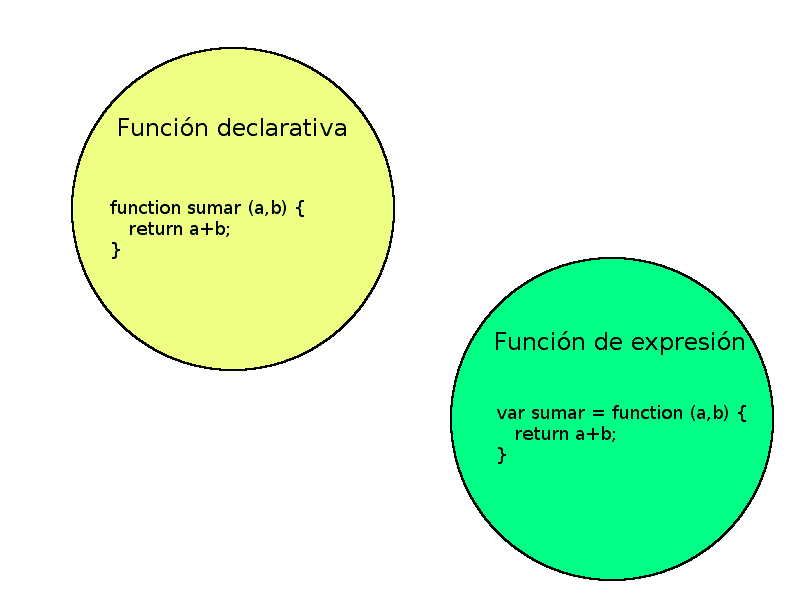
So we can reference a function through a variable or by directly using the name of the function; the interesting thing is not its syntax, which differs from one to another, but how the JavaScript compiler interprets it, which I will try to explain through the following code section:
console.log(suma(2,3));
function sum(a,b) {return a+b;}
The previous expression of the function called "suma", the JavaScript compiler converts it into:
function sum(a,b) {return a+b;}
console.log(suma(2,3));
That is to say; the compiler places the definitions of the functions and locates the function at the beginning of the code; in other words, the JavaScript compiler converts the declaration seen previously into a global scope for the entire program, unlike what only corresponds to a defined section of the program.
Why the error “TypeError: undefined is not a function” appears
This error usually indicates exactly that:
you are trying to execute something that is not yet a function, even though the variable exists.
Understanding this point saves hours of frustration.
Function declarations vs function expressions: key differences
Availability and execution order
- Declarative: available from the beginning of the scope
- Expressions: available only after their definition
Syntax and code readability
Declarative ones tend to be more explicit and easier to follow in large files. Expressions, on the other hand, shine when used as values.
Debugging, stack trace, and maintenance
Named functions appear better in the call stack. In large projects, this makes a real difference when debugging errors.
When to use function declarations and when to use expressions?
Ideal cases for function declarations
- Main system functions
- Reusable logic.
- Code that must always be available.
- Personally, I use them as the structural base of the project.
- Cases where a function expression is the best option
- Callbacks.
- Conditional functions.
- Functions passed as an argument.
Callbacks, conditional functions, and IIFE
Expressions allow advanced patterns like IIFEs or functions that only exist under certain conditions, something impossible with classic declarations.
Common errors when working with functions in JavaScript
- Calling functions prematurely
- Confusing arrow functions with declarations
- Misunderstanding hoisting with var, let, and const
- Most of these errors are not syntax errors, but mental model errors.
Frequently asked questions about function declarations and expressions in JavaScript
- Do arrow functions have hoisting?
- No. They are expressions and follow the same rules.
- Which type of function is better?
- It depends on the context. There is no single correct answer.
Conclusion: what type of function should you use in your JavaScript code
The difference between function declarations and expressions in JavaScript is not just how they are written, but how and when they exist in memory.
From my experience, understanding this completely changes the way we write and debug code. Use declarations for structure and expressions for flexibility, and you will avoid many classic errors.