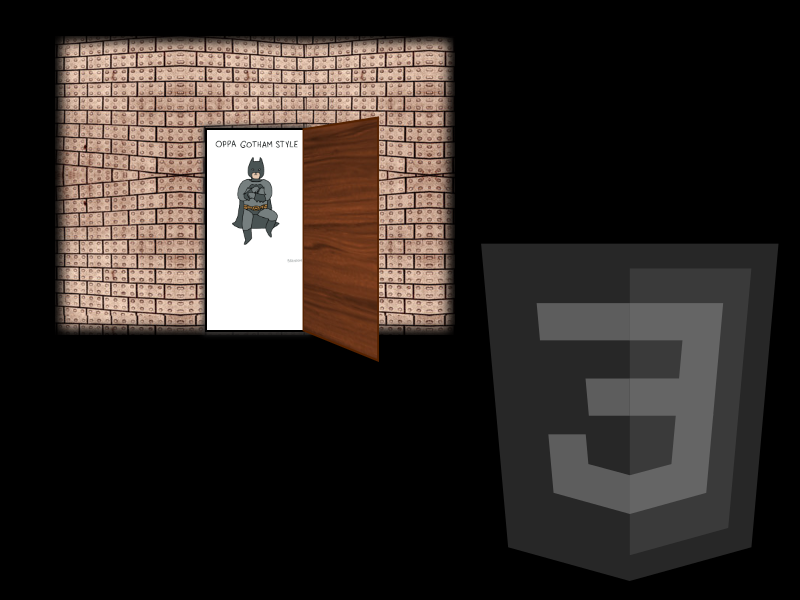
In this experiment, we will explore how to use multiple layers (div) and powerful 3D transforms in CSS to emulate the realism of an opening door. Although this tutorial was created in 2014, the concepts of perspective and Y-axis rotation remain fundamental today for creating modern interactive interfaces without relying on JavaScript.
By leveraging the :hover selector and smooth CSS transitions, we will achieve an immersive effect that reveals hidden content behind our "virtual door," using just a few lines of code.
Building our door (HTML5 Structure)
For the 3D effect to work properly, we need a hierarchy of containers that define the three-dimensional space. We will use descriptive class names to keep the code clean and easy to maintain.
<!-- Main container: defines the stage and perspective -->
<section class="escenario">
    <div class="marco-puerta">
        <!-- Content behind the door -->
        <div class="contenido-oculto">
            <img src="batman-gangnam-style.gif" alt="Surprise animation behind the door" />
        </div>

        <!-- The door object with its two sides -->
        <div class="puerta">
            <div class="cara adelante"></div>
            <div class="cara atras"></div>
        </div>
    </div>
</section>
It is crucial that thecontenido-oculto,adelante, andatraselements share the same dimensions and absolute positioning (position: absolute) so that the overlap is perfect and no layer visually "protrudes" during the animation.
Creating the 3D effect (Modernized CSS)
The magic lies in the perspective property. Without it, the rotation would look completely flat (2D). By adding depth to the parent container, the browser calculates the visual distortion required to simulate depth and trick the human eye. The higher the perspective value, the subtle and smooth the depth illusion will appear; a low value, on the other hand, produces a more exaggerated effect.
1. Setting up the stage
We define the background (the wall) and the vanishing point for the entire 3D animation. The perspective property should always be applied to the parent container, never to the element being transformed:
.escenario {
    background: url('wall.jpg') repeat;
    perspective: 1000px; /* Higher value = smoother perspective */
    display: flex;
    justify-content: center;
    align-items: center;
    min-height: 400px;
}
2. Animating the door
We use transform-style: preserve-3d so that the child elements of the door also exist in three-dimensional space, and transform-origin so the door rotates on its left hinge instead of its geometric center. The cubic-bezier timing function gives it an organic and natural movement, preventing the opening from feeling mechanical:
.puerta {
    position: relative;
    width: 200px;
    height: 300px;
    transform-style: preserve-3d;
    transition: transform 1.2s cubic-bezier(0.4, 0, 0.2, 1);
    transform-origin: left; /* The door hinge */
    cursor: pointer;
}
.marco-puerta:hover .puerta {
    transform: rotateY(-130deg); /* Inward opening */
}
3. Managing the sides of the door
The backface-visibility: hidden property is vital: it tells the browser to hide the face of an element when it is rotated more than 90 degrees and points "backward". This prevents seeing the translucent "back" of the front face while the door rotates, and instead correctly displays the back face with its own design.
.cara {
    position: absolute;
    width: 100%;
    height: 100%;
    backface-visibility: hidden;
    background-size: cover;
}
.adelante {
    background-image: url('door-front.jpg');
    z-index: 2;
}
.atras {
    background-image: url('door-back.jpg');
    transform: rotateY(180deg); /* Rotates the back face to face backward */
}
Why use this effect in modern web design?
Beyond being a visual experiment, these types of interactive CSS techniques have a real impact on user engagement because they generate curiosity and surprise without adding any JavaScript overhead. Here are some practical applications where this effect fits naturally:
- Gamification: Revealing rewards, discounts, or easter eggs on landing pages.
- Product Cards: Displaying technical specifications or pricing when hovering over a product image.
- Portfolios: A creative way to present the before and after of a project, or show the old versus the new version.
- Menus and Navigation: Creating reveal effects for submenus or side panels that appear with a 3D animation instead of a classic flat slide.
Accessibility Considerations (A11y)
Although the effect is triggered with :hover, it is good practice to allow keyboard users to trigger it as well. You can wrap the door in a <button> or an element with tabindex="0" and add a small script that toggles an .is-open class using the focus or keypress event. Additionally, consider using the @media (prefers-reduced-motion: reduce) media query to disable or reduce the animation on devices where users prefer reduced motion, respecting their operating system settings.