When we are modeling, as we did before with the Chessboard and Pawn with Blender, we must know the two types of projections we have.
The difference between these types of views lies in the fact that in the Perspective view we can appreciate that objects have different sizes depending on the distances at which they are located from each other; in other words; in the Orthogonal or Orthographic view we cannot notice the difference in size regardless of the distance between the objects, just as we can see in the following images:
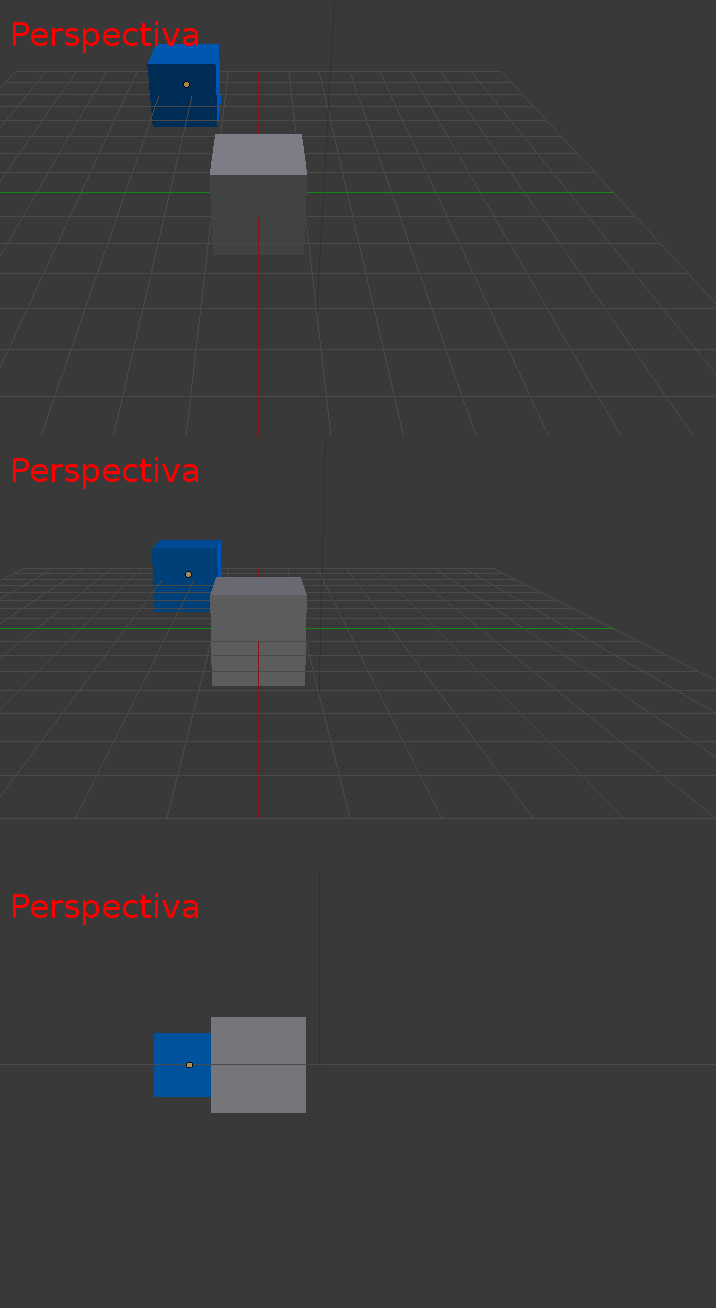
Visualization of objects in a scene with the Perspective view in Blender.
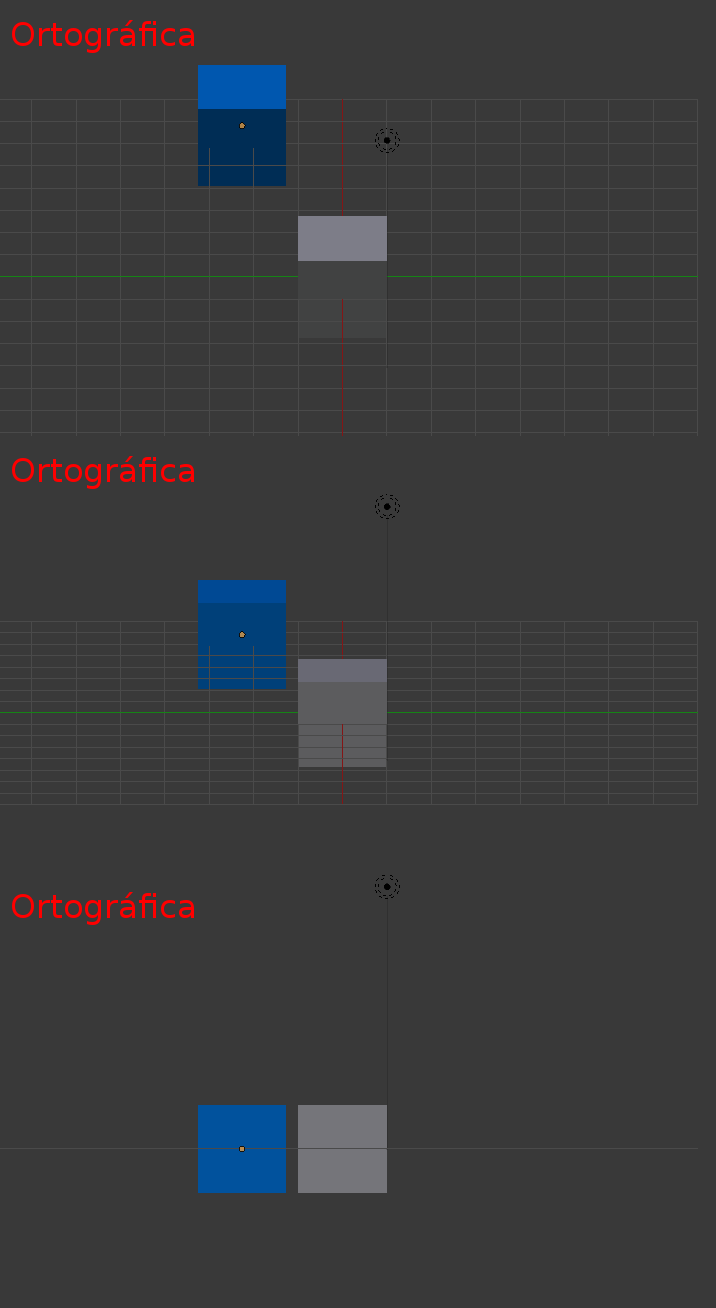
Visualization of objects in a scene with the Orthographic or Orthogonal view in Blender.
1. The Perspective View
Notice that, in the initial view, the cubes seem to be next to each other. However, when pressing 5 to switch to perspective, surprise! The second cube was not next to it, but was "thrown" much further back.
Perspective allows us to see depth, just as we do with our eyes. It is the view that most closely fits the real world; for example, when we see a ship on the horizon, we perceive it smaller as it moves away. This is what happens here: if we move the cube away on the Y axis, it will look smaller and smaller until it disappears from the plane.
2. The Orthogonal View
On the other hand, the orthogonal view "doesn't care" about depth. If we return to the front view (key 1) and activate the orthogonal (5), you will see that both cubes seem to have exactly the same size, even though one is much further away than the other. The only thing that matters here is the real dimension of the object, not its position relative to the camera.
️ When to use each one?
The choice is subjective, but here are some common use cases:
- Perspective (General Use): It is the one that most of us usually use for rendering and general modeling, as it is how we perceive the world around us.
- Orthogonal (Precision and Alignment): It is extremely useful for aligning objects. If you want two pieces to be at exactly the same level, in perspective it will be almost impossible to be sure due to visual distortion. In orthogonal, you can easily see if they are aligned or if there is a minimal separation.
- Blueprint Creation: When working on elevations or large architectural plans, perspective can trick you into believing a section is smaller than it really is due to distance. The orthographic view eliminates that perception error.
- Modeling with References: When we model characters using front or profile photos, the distance between the reference image and the model can cause proportions not to match. Using the orthogonal view allows for "pixel perfect" adjustments without distance affecting dimensions.
Learn how to model candy letters in Blender.