Content Index
I'm going to explain how you can implement and use the damage system here in Unreal Engine.
To begin, you can see that in the user interface I have a blue bar which refers to the player's health. Additionally, I have placed some boxes in the level that are similar to Nitro boxes (destructible elements that inflict damage and explode) and that will interact with this health system.
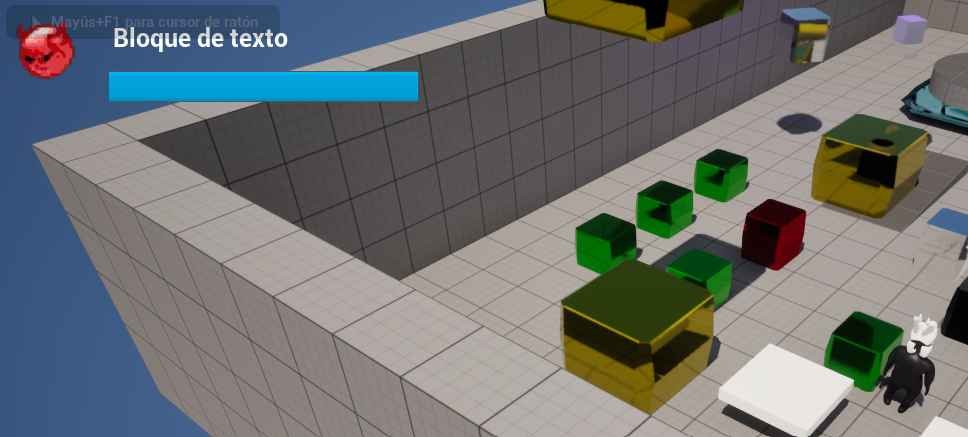
These boxes are similar to those found in the game Crash Bandicoot: when you touch them, they explode and inflict damage on the player.
- Key Effect: As you could observe, the main effect is the decrease in the player's health bar upon contact with the box.
- Additional Implementation: The visual effects, the explosion sound, and the screen shake will be explained in another video, as they are optional to the core of the damage system.
Blueprint for dealing damage
The main functionality of the explosive box lies in its Blueprint:

When the boxes are touched, the logic is activated at the moment of collision and applies damage to the player as you can see in the previous image.
- Key Node: The central functionality is the node called Apply Damage .
- Implementation: The way you choose to implement this is completely optional and depends on the effect you are looking for.
Although this box disappears after exploding (which ensures the logic runs only once), the use of the Do Once is intended to make execution slightly more efficient by ensuring that the code branch is only activated once per interaction. If you wish, you can omit this node, as the Blueprint will be destroyed immediately afterward.
Apply Damage
- Base Damage: This is the numerical value of the damage that will be applied.
- Configuration: In this implementation, a damage of 25 has been set (considering the player's total health is 100). This value is fully configurable.
- Damaged Actor: This refers to the target that will receive the damage.
- Implementation: We connect the reference of our character or Player (obtained from the initial cast) directly to the Damaged Actor pin.
Applying damage to the player
Now we must configure the player so they can receive and process the damage applied by the explosive box.
1. The Key Event: Event Any Damage
In Unreal Engine, there is an event that is automatically invoked when an actor receives damage:
- Event: We use the Event Any Damage node.
- Activation: This event is automatically invoked thanks to the Apply Damage node we configured in the box, provided the target actor is our player.
2. Processing Received Damage
If we don't configure anything in this event, the health bar won't decrease. Therefore, this is where we define what happens with the received damage value.
- Opportunity for Effects: This is the ideal point to implement additional logic, such as:
- Temporary invulnerability (similar to masks in Crash Bandicoot).
- Pain or knockback animations.
- Main Logic: In this implementation, what we do is call an internal function (which we will see next) to process the damage and, consequently, update the player's health.

Full Damage System Summary
The damage system is based on the interaction of two key nodes:
- In the Damage Object (Nitro Box):
- The Apply Damage node is used, and the damage value and the Damaged Actor (the player) are specified.
- In the Actor (Player):
- The Event Any Damage event is used to capture the damage.
- Inside this event, the health management function is called which decrements, clamps, and checks the player's death condition.