When talking about manipulating the DOM, almost all content appearing on Google focuses on JavaScript and the browser. However, PHP also allows working directly with the HTML DOM, only from the server side.
In my case, when I started processing external HTML from PHP, I discovered that the DOMDocument class offers many of the same possibilities we use in JavaScript, but with a completely different approach.
What is the DOM and how it works when using PHP
The DOM as a node tree
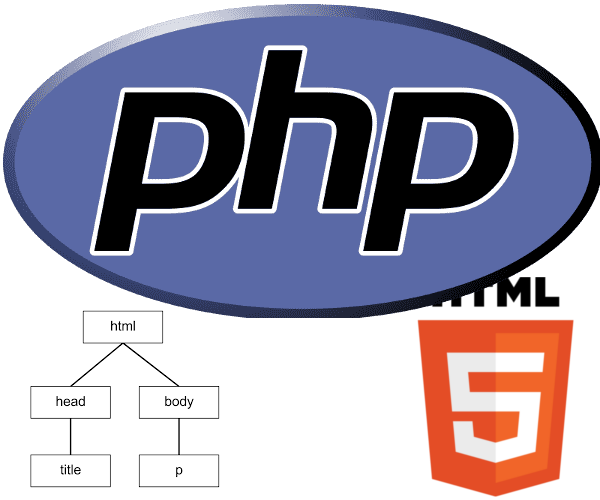
The DOM (Document Object Model) is a structured representation of the HTML document in the form of a node tree. Each HTML tag is a node, each attribute belongs to a node, and the text is also represented as child nodes.
When we work with PHP, we do not interact with the browser; instead, we process the HTML directly on the server. This is especially useful when:
- We need to analyze remote HTML.
- We want to modify a page before sending it to the client.
- We perform scraping or automation.
- We clean or transform HTML content.
Differences between manipulating the DOM with JavaScript and PHP
This difference is key to understanding why this article does not compete directly with JavaScript classics:
- JavaScript PHP
- Runs in the browser Runs on the server
- Manipulates the DOM in real-time Manipulates HTML before sending it
- Depends on the user Totally controlled by the backend
- Ideal for interaction Ideal for processing
PHP is perfect when you need to modify HTML without depending on the client, something JavaScript cannot do on its own.
Loading and traversing HTML with PHP and DOMDocument
In this post, we will see how to access the DOM of a web page or HTML content with PHP; for this, we will use the PHP DOMDocument class, which allows us to perform certain operations like those we do with JavaScript using selectors. We must specify the document version number, which is just a declaration and has no major repercussions; the second parameter corresponds to defining the content encoding.
Loading HTML content from a URL
To manipulate the DOM in PHP, we use the DOMDocument class. A pattern I use a lot is loading remote HTML and returning its nodes:
function getContent($url) {
    if (stripos($url, 'http') !== 0) {
        $url = 'http://' . $url;
    }
    $content = new DOMDocument('1.0', 'utf-8');
    $content->preserveWhiteSpace = FALSE;
    @$content->loadHTMLFile($url);
    return $content->getElementsByTagName('*');
}
For this function, we receive a URL where we validate that the http reference is present, create a DOMDocument type object, and then load the HTML content from our URL with the loadHTMLFile() function, indicating the site URL to load. Finally, a function called getElementsByTagName() allows us to access the element we want, whether it's a paragraph p, h1, all *, or any known tag. Subsequently, once the elements are selected via nodes, we can access their attributes and thus remove and/or modify sections of code from an HTML page using PHP.
- preserveWhiteSpace allows removing or keeping redundant white spaces. Defaults to TRUE.
- The URL is validated to have http.
- Document version and encoding are defined.
- preserveWhiteSpace removes unnecessary white spaces.
- loadHTMLFile() loads the external HTML.
- getElementsByTagName('*') retrieves all nodes.
Finally, the previous code would have an output like the following:
getContent("http://www.desarrollolibre.net/blog");

// salida
object(DOMNodeList)#2 (1) {
  ["length"]=> int(184)
}
At this point, we have the DOM completely accessible from PHP.
Getting nodes and HTML tags
Once we have the content referenced through nodes, we can access the content as desired; for example, we can access its attributes as we do in the following function:
function getAttribute($url, $attr) {
    $result = array();

    $content = new DOMDocument('1.0', 'utf-8');
    $content->preserveWhiteSpace = FALSE;

    @$content->loadHTMLFile($url);
    $elements = $content
            ->getElementsByTagName('*');

    foreach ($elements as $node) {
        if ($node->hasAttribute($attr)) {
            $value = $node->getAttribute($attr);
            $result[] = trim($value);
        }
    }

    return $result;
}
This allows us to inspect the complete structure of the document and decide what to modify.
Accessing node attributes and content
As you can see, in this instance we iterate through the nodes, which are ultimately each of the tags we have defined. We access one of their attributes, which we would pass as one of the parameters in the function signature, and save them in an array; finally, we will get something like the following:
getAttribute("http://www.desarrollolibre.net/blog","class")
// *** salida
array(70) { [0]=> string(9) "logo_name" [1]=> string(4) "logo" [2]=> string(14) "logo_150_white" [3]=> string(4) "name" [4]=> string(13) "show_category" [5]=> string(15) "material-design" [6]=> string(19) "promotion col-md-12" [7]=> string(23) "col-md-4-p margin-1-p-p" [8]=> string(27) "card card1 white box-shadow" [9]=> string(15) "material-design" [10]=> string(23) "col-md-4-p margin-1-p-p" [11]=> string(27) "card card1 white box-shadow" [12]=> string(15) "material-design" [13]=> string(23) "col-md-4-p margin-1-p-p" [14]=> string(27) "card card1 white box-shadow" [15]=> string(15) "material-design" [16]=> string(10) "box-result" [17]=> string(14) "col-md-12 left" [18]=> string(22) "item-publication theme" [19]=> string(11) "rating-NULL" [20]=> string(4) "date" [21]=> string(9) "posted-on" [22]=> string(22) "item-publication theme" [23]=> string(11) "rating-NULL" [24]=> string(4) "date" [25]=> string(9) "posted-on" [26]=> string(29) "item-publication theme update" [27]=> string(11) "rating-NULL" [28]=> string(4) "date" [29]=> string(9) "posted-on" [30]=> string(3) "red" [31]=> string(14) "col-md-12 left" [32]=> string(22) "item-publication theme" [33]=> string(11) "rating-NULL" [34]=> string(4) "date" [35]=> string(9) "posted-on" [36]=> string(22) "item-publication theme" [37]=> string(11) "rating-NULL" [38]=> string(4) "date" [39]=> string(9) "posted-on" [40]=> string(22) "item-publication theme" [41]=> string(11) "rating-NULL" [42]=> string(4) "date" [43]=> string(9) "posted-on" [44]=> string(22) "item-publication theme" [45]=> string(11) "rating-NULL" [46]=> string(4) "date" [47]=> string(9) "posted-on" [48]=> string(14) "col-md-12 left" [49]=> string(22) "item-publication theme" [50]=> string(11) "rating-NULL" [51]=> string(4) "date" [52]=> string(9) "posted-on" [53]=> string(22) "item-publication theme" [54]=> string(11) "rating-NULL" [55]=> string(4) "date" [56]=> string(9) "posted-on" [57]=> string(22) "item-publication theme" [58]=> string(11) "rating-NULL" [59]=> string(4) "date" [60]=> string(9) "posted-on" [61]=> string(13) "show_category" [62]=> string(15) "material-design" [63]=> string(10) "pagination" [64]=> string(6) "active" [65]=> string(9) "next-link" [66]=> string(15) "scrollup fab_up" [67]=> string(22) "social-50 arrow_top_50" [68]=> string(19) "scrolldown fab_down" [69]=> string(25) "social-50 arrow_bottom_50" }
We can also incorporate HTML code at a specific position; for example, after the fifth node, just to name a position:
function createElement($url) {

    $content = new DOMDocument('1.0', 'utf-8');
    $content->preserveWhiteSpace = FALSE;
    @$content->loadHTMLFile($url);
    $ins = $content->createElement("ins", "***ESTO ES UN TAG AGREGADO CON PHP***");

    $content->getElementsByTagName('h2')->item(4)->appendChild($ins);
}
Reading attributes like class, id, or href
A very common task is extracting HTML attributes. For example, getting all CSS classes from a page:
function getAttribute($url, $attr) {
    $result = [];

    $content = new DOMDocument('1.0', 'utf-8');
    $content->preserveWhiteSpace = false;
    @$content->loadHTMLFile($url);

    $elements = $content->getElementsByTagName('*');

    foreach ($elements as $node) {
        if ($node->hasAttribute($attr)) {
            $result[] = trim($node->getAttribute($attr));
        }
    }

    return $result;
}
Calling the function:
getAttribute("http://www.desarrollolibre.net/blog", "class");We get an array with all the classes found. This is especially useful when you need to audit HTML, clean styles, or analyze existing structures.
Working with DOMNodeList and traversing nodes
DOMNodeList is not a traditional array, but it behaves very similarly. You can access by index:
$h2 = $content->getElementsByTagName('h2')->item(0);And from there navigate through parents, children, and siblings, exactly as in JavaScript, but from PHP.
Creating and adding HTML elements dynamically with PHP
PHP also allows creating new HTML nodes. In one of my projects, I needed to insert dynamic content into an existing page, and this approach works perfectly.
Creating nodes with createElement
In the appendChild() function, it receives an element created via the createElement() method as a parameter, which allows creating an element (in this example, an ins type element was created according to the first established parameter, with the content -***THIS IS A TAG ADDED WITH PHP***-).
function deleteElement($url) {
    $content = new DOMDocument('1.0', 'utf-8');
    $content->preserveWhiteSpace = FALSE;
    @$content->loadHTMLFile($url);

    $h2 = $content->getElementsByTagName('h2')->item(0);
    $pnode = $h2->parentNode;
    $pnode->removeChild($h2);
}
Inserting nodes with appendChild
Once the node is created, we can insert it anywhere in the DOM:
Once the node is created, we can insert it anywhere in the DOM:
$content
   ->getElementsByTagName('h2')
   ->item(4)
   ->appendChild($ins);
In this example, the new element is added as a child of the fifth <h2> in the document. This type of manipulation is very powerful when you need to modify existing HTML without rewriting it completely.
Deleting and modifying HTML DOM elements in PHP
To delete an element, as shown in the previous code with the first h2 that exists in our selection (using the item(0) function), we retrieve the parent element of the h2 with $h2->parentNode and then delete the h2 in question with $pnode->removeChild($h2) using the parent element and the reference (the child) to the h2 as a parameter.
Identifying parent and child nodes
To delete an element, we first need its parent node. I use this pattern constantly:
$h2 = $content->getElementsByTagName('h2')->item(0);
$pnode = $h2->parentNode;
The DOM always works in parent–child relationships, and PHP is no exception.
Deleting nodes with removeChild
Once we have the parent node, deleting the element is very simple:
$pnode->removeChild($h2);With this, we completely remove the <h2> node from the document.
You can see how similar it is to JavaScript, but running completely on the server side.
Best practices when manipulating the DOM with PHP
When to use PHP instead of JavaScript
- Manipulating the DOM with PHP is ideal when:
- You need to modify HTML before sending it to the browser.
- You work with remote HTML.
- You automate tasks.
- You process massive content.
- It does not replace JavaScript, but it complements it perfectly.
- Final recommendations
- Use DOMDocument whenever possible instead of regular expressions.
- Handle errors carefully when loading external HTML.
- Do not forget the encoding (utf-8).
- Avoid manipulating unnecessary nodes to improve performance.
Frequently Asked Questions (FAQ)
- Can PHP manipulate the DOM like JavaScript?
- Yes, but from the server and using DOMDocument.
- Can external HTML be modified with PHP?
- Yes, using loadHTMLFile() or loadHTML().
- Is DOMDocument secure?
- Yes, as long as you control the source of the HTML.
- Is this useful for scraping?
- Totally. It is one of its most common uses.
Conclusion
Manipulating the HTML DOM with PHP is a powerful, underutilized, and extremely useful technique in the backend. With DOMDocument, you can read, traverse, modify, create, and delete HTML nodes in a structured and secure way, without depending on the browser or JavaScript.
If you already master the DOM in JavaScript, learning how to do it in PHP opens up many more possibilities at the server level.