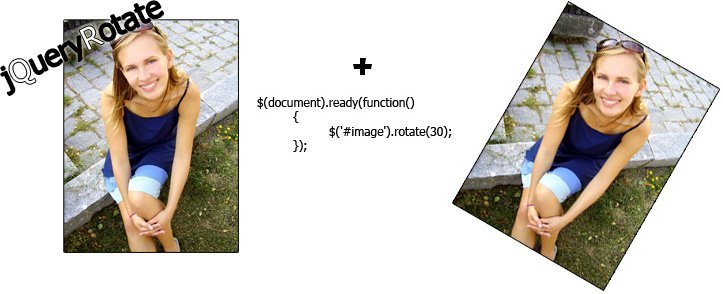
When I started working with JavaScript on web projects, rotating images was one of those “flashy” tasks that almost always ended up being solved with an external plugin. Back then (around 2013), solutions like jQuery Rotate were common because browsers didn't offer solid support for CSS3. Today, the landscape is very different.
In this guide, I'll explain how to rotate images and other HTML elements with jQuery in a modern way, without depending on obsolete plugins, while maintaining compatibility, performance, and accessibility.
Why you no longer need plugins like jQuery Rotate today
For years I used jQuery Rotate because “it just worked.” The problem is that today this approach has more disadvantages than advantages:
- The plugin is not maintained
- It was designed for browsers that no longer exist (IE6, Firefox 2…)
- It duplicates functionalities that are now covered by CSS transform
- It adds unnecessary weight to the project
Currently, all modern browsers support transform: rotate() natively, and jQuery can be limited to controlling events and animations. In recent projects, removing these types of dependencies has reduced errors and greatly simplified the code.
Modern ways to rotate elements with jQuery
Rotation using CSS transform + jQuery
The simplest and most recommended way today is to delegate the rotation to CSS and use jQuery only as a trigger.
<img id="imagen" src="imagen.jpg" alt="Ejemplo">
.rotada {
 transform: rotate(90deg);
 transition: transform 0.5s ease;
}
$("#imagen").on("click", function () {
 $(this).toggleClass("rotada");
});
This pattern is the one I use most currently: CSS for the effect, jQuery for the interaction. It is cleaner, faster, and much more maintainable.
Rotating images with jQuery.animate()
jQuery Rotate is a plugin for jQuery that allows rotating the elements that make up our web page without complications and without using CSS3 in old browsers (which do not have support) and in this way maintain compatibility between web browsers of lower versions:
Support of the most used web browsers with jQuery Rotate
- Internet Explorer 6.0 or higher.
- Firefox 2.0 or higher.
- Safari 3 or higher.
- Opera 9 or higher.
- Google Chrome all versions.
Rotating images through events (click, hover, scroll)
jQuery is still very convenient for managing complex events:
Rotation on mouse hover
$("#imagen").hover(
 function () {
   $(this).css("transform", "rotate(180deg)");
 },
 function () {
   $(this).css("transform", "rotate(0deg)");
 }
);
Rotation on scroll:
$(window).on("scroll", function () {
 const scroll = $(this).scrollTop();
 $("#imagen").css("transform", "rotate(" + scroll / 5 + "deg)");
});
These types of effects are still widely used in landing pages and micro-interactions.
Accessibility when rotating content with jQuery
One of the most common mistakes I made in the past was using hide() and show() to rotate content. Today we know that this breaks keyboard navigation.
The modern solution consists of:
- Avoiding display: none
- Using opacity + CSS classes
- Keeping elements focusable
Example of an accessible class:
.visually-hidden {
 position: absolute;
 width: 1px;
 height: 1px;
 overflow: hidden;
 clip: rect(0 0 0 0);
}
And with jQuery:
$items
 .not(":first")
 .addClass("visually-hidden")
 .css("opacity", 0);
In projects with accessibility requirements, this approach makes a huge difference.
Current alternatives: Pure JavaScript and Canvas
More and more projects are doing without jQuery altogether. If you don't need legacy compatibility, you can rotate images with pure JavaScript or Canvas.
Canvas is especially useful when you need:
- Complex rotations
- Scaling
- Pixel manipulation
However, for most websites, CSS + jQuery (or pure JS) is sufficient and simpler.
Best practices in real projects
After applying these techniques in different projects, these are my clear recommendations:
- ✅ Use CSS transform whenever possible
- ✅ Leave jQuery only for events and logic
- ❌ Avoid old plugins without maintenance
- ✅ Take care of accessibility from the start
- ✅ Prioritize clarity over “spectacular effects”
Conclusion
Rotating images with jQuery is no longer what it was in 2013. Today we don't need external plugins or hacks for old browsers. With modern CSS, current jQuery, and good accessibility practices, you can achieve clean, fast, and maintainable animations.
Updating this type of code not only improves performance, but also raises the perceived quality of the entire project.
Frequently Asked Questions
- Does jQuery Rotate still exist?
- It exists, but its use is not recommended in modern projects.
- Is it better to use CSS or jQuery?
- CSS for animation, jQuery for control.
- Does it work with modern jQuery and future versions?
- Yes. This approach is compatible with jQuery 3.x and prepared for the future transition.
- Do I need jQuery to rotate images?
- No. You can do it with pure JavaScript, but jQuery is still useful in existing projects.