Content Index
- Does AI solve everything?
- Example of misuse of AI
- Good practices when using AI
- How to Use AI Correctly vs. Incorrectly: Opinion and Example
- How I Use AI
- The use I consider correct
- A bad use of AI
- How NOT to use AI when programming
- Questionable technical aspects
- Comparison with templates
- The problem with that type of content
- Using AI as a Programmer: A piece of code is worth a thousand words
- Can You Code Only with AI?
- The "Black Box" Illusion
- Why Continuing to Learn Code is Essential
- Advantages and Risks of Using AI for Programming
- What AI Does Well in Programming
- Common Errors and Limitations
- The Role of the Programmer vs. Artificial Intelligence
- From Idea Translator to Code Validator
- Human Judgment as the Final Word
- Comparison with other AIs: Gemini and Perplexity
- Practical Comparison: ChatGPT vs Gemini vs Perplexity in Programming
- ChatGPT: good in context, but makes mistakes
- Gemini: loses continuity
- Perplexity: the most useful surprise
- Final Lessons
- Vibe coding and 5000 VULNERABLE Apps!
- 1. The Attack Vector: Indexing and Exposure of Temporary Environments
- 2. The Limitations of Generic Prompts and AI Biases
- Quality Loss by Density
- Lack of Modular Decomposition
- Predictive Patterns and Biases
- 3. Consequences of Insecure Deployment and Data Leaks
- Ten tricks for writing better AI prompts
- 1. Be Specific and Provide Context
- 2. Make Partial Changes
- 3. Define the output format
- 4. Use examples
- 5. Establish the role
- 6. Control the length
- 7. Rephrase when necessary
- 8. Ask open-ended questions
- 9. State restrictions
- 10. Combine creativity and precision
- The Use of AI in Programming and the Lack of Trust in Its Code
- Human Supervision vs. the "Harness Engineering" Approach
- Complex Systems and AI Limitations
- The Developer's New Role: From Coder to Orchestrator
- The importance of KNOWING how to program: Prompt strategy and preventing AI from breaking your code
- Workflow and structured prompt design
- Frontend integration with Vue.js
- Final optimizations and refactoring AI-generated code
- The Limit of AI in Development: Debugging and Hallucinations
- 1. Workflow and Assisted Planning
- 2. The Conflict with Hallucinations and False Validation
- 3. The Real Diagnosis: The Danger of Browser Properties
- Conclusion and Lessons Learned
- You're Probably Using AI Wrong for Programming (And Here's the Right Way to Do It)
- AI as a tool, not a replacement: The importance of context
- The inverted method
- FAQs
- Conclusion
As you may already know, I'm a content creator, and I like to share resources focused primarily on programming. With the rise of artificial intelligence, some people may have a misconception about how one works or even wonder if it still makes sense to create this type of content.
That's precisely what I want to address in this article.
Does AI solve everything?
I want to make one thing clear: if AI solved everything, including programming, then platforms like YouTube would have disappeared by now. Because if everything is solved by asking AI, why look for tutorials or documentation? And the same applies to Google. However, both platforms are still relevant and growing.
The reality is that AI should be seen as just another tool, not the ultimate solution. Platforms like YouTube or Google may fall short in some aspects; that's where AI can help you. But for broader or more generic topics, it's often not the best option. Or at least not as the first or only option.
Example of misuse of AI
In a Romu podcast, one of the experts addressed a similar question: "Will AI put digital marketing departments out of business?" His answer was spot on, and I'll take it for granted for this topic: if someone without marketing (or, in our case, programming) knowledge tries to use AI to generate results, they'll likely end up with a disaster.
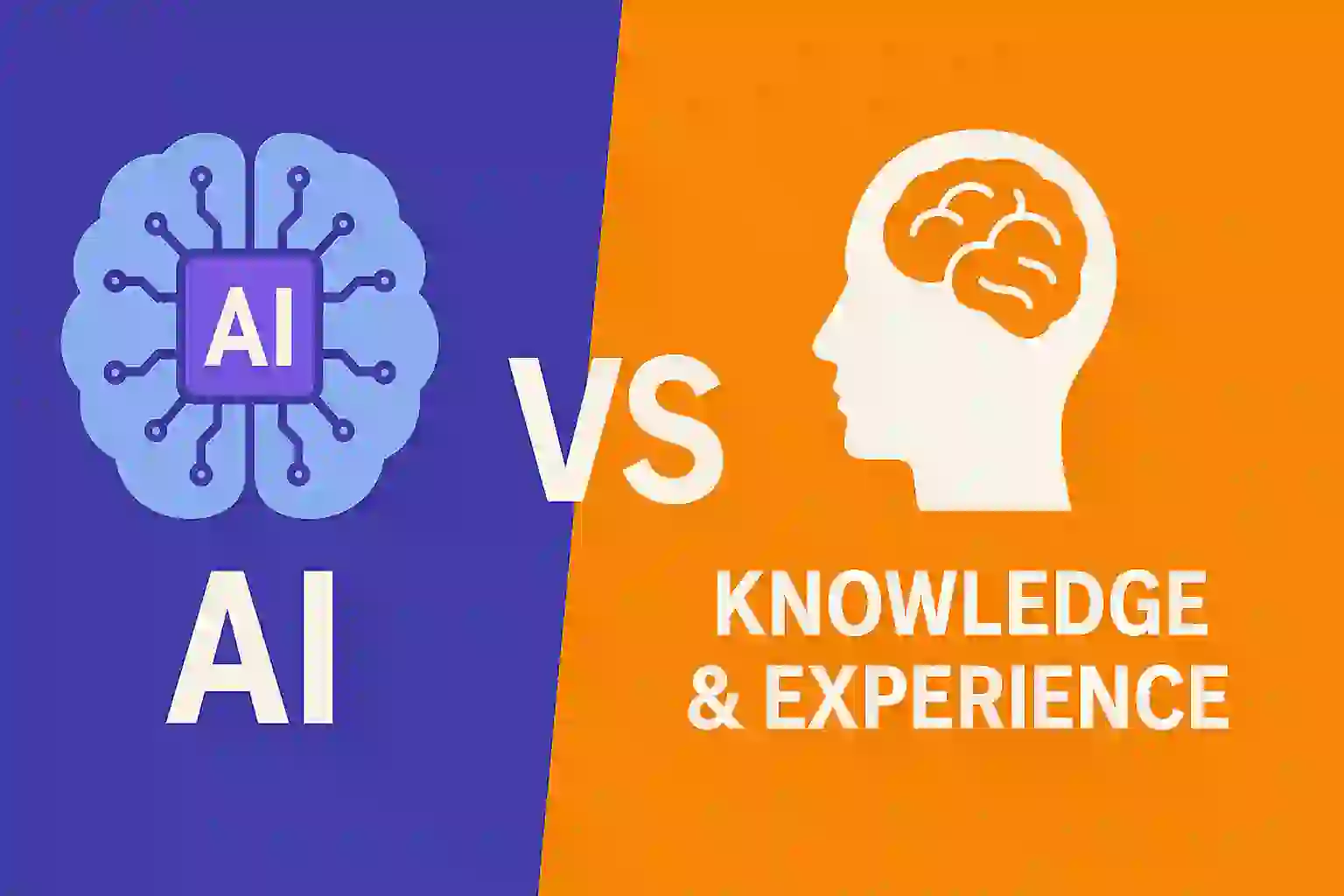
AI is not there to replace knowledge, but to enhance it.
Good practices when using AI
Here are some best practices I follow and recommend:
- Use AI as a second opinion. I use it as if it were a second person I'm consulting with. If it suggests a solution, I analyze it, adapt it, and adjust it to my needs.
- Ask specific questions. Instead of asking for "a responsive app that's SEO-friendly," it's better to ask: "How can I improve the structure of this responsive component in Vue to make it more accessible?"
- Understand what you're asking. If you don't know what you're asking, you won't be able to assess whether the answer is good, bad, or dangerous.
- Never let AI decide for you. You should guide it, not the other way around.
About the feedback received
The comment I'm referring to said something like, "What if I gave the entire book to the AI, would it come up with the solution you suggested?"
I think what he meant was that if he gives the AI the entire book I'm creating, will it produce the complete solution I propose? Understand: he thinks the AI is doing this entire book and course I'm developing for me. Which is far from the truth.
I'm building this resource based on my personal experience. I've been developing software for over 10 years, and now I'm putting together a course on how to build an online store with Laravel and Livewire, applying best practices from the start.
For example, in the PayPal integration, I'm dividing the functionality into modules:
- A trait that makes the direct connection.
- A generic class for managing multiple payment gateways.
- A product-specific class, in this case, books.
This entire modular structure can only be created if you truly understand what you're doing. You can rely on AI for small questions, like, "How best to modularize this part?" But if you simply say, "Make me an online store with Laravel," it will most likely return outdated, unscalable, and poorly structured code.
How to Use AI Correctly vs. Incorrectly: Opinion and Example
I'm recording this video because I wanted, so to speak, to reinforce the idea I mentioned earlier: someone made a criticism, insinuating that I generate all my content with AI. Many people do that: they generate all their content with artificial intelligence.
I want, so to speak, to give an example of that and share a little more of my opinion, because I know it may seem a bit abstract to some. So here's a little more context.
How I Use AI
Here's a prompt I'm using. Look, it's very simple. I'm not saying I'm an AI expert or anything like that.
It also depends on what you want to do. Sometimes you don't have to get so complicated; at least, that's my opinion.
But anyway, as I said, this is just an example. It's not how I fully use AI, period.
Let's say I want to write something, for example, about how to use AI ethically, and I want to give my opinion. One way is to directly ask the AI to generate that content, for example, for a post.
There, I could say:
"Make me a post of so many lines or words on the correct use of AI." I could even specify that it cover certain points, including features or examples.
The more specific you are, the more detailed the answer will be. But even then, the problem I see is that, even if you give it a good prompt, it will return content very similar to what it would generate to someone else asking a similar question. Even if you vary the prompt, the result will be quite generic.
The use I consider correct
For me, the correct use of AI is as an assistant, not as a complete content generator.
Not that it generates content from scratch for no clear reason, even if you give it a prompt. But that it helps you format, correct, and improve. That's precisely how I use it.
I give it what I call "the source" and from there I ask it to improve it.
So, as I was saying, it's very different to ask the AI to create all the content for you, no matter how nice the prompt is, than to use it the way I do:
for example, I have this code, this text, and I ask it to improve it based on a certain condition. That's what I do.
In my case, for reasons that I think are quite understandable, I usually translate these videos into post format.
That's why, when I do the weekly updates, I always tell you that it has an equivalent on the blog.
I don't know if I'll translate this particular video into a post, because there are some that aren't really worth it. But when it's about coding, for example, I do ask the AI to translate everything I say in the spoken video into written text.
I copy and paste that text here into ChatGPT and tell it exactly: "Improve the writing of the text block. Add headings, commas, periods, accents, and everything else."
When the text is transcribed from spoken text, it usually doesn't have good punctuation. It ends up a mess.
Then I ask it not to change the writing too much, just to adapt it a little if it detects errors or things I've said incorrectly. That's the flexibility I give it.
I could also tell it not to change anything. It depends on how you want to use it.
In my case, I like it this way. That's my prompt, and with that, it generates it perfectly.
I used to do this work by hand, but since I'm always short on time, ChatGPT clearly does it in seconds. I just pass it the text block and that's it.
You can see the final result; this post was improved based on what was discussed in it.
It separates the periods, recognizes the text correctly, and arranges it. For me, this is a good use of AI: as an assistant for formatting, finding errors, and so on.
A bad use of AI
A bad use of AI, as that person said in their review, would be to tell it: "Generate all the content for me."
That's very different from what I do. Even if the prompt is well done, if you ask it to create everything from scratch, what you're doing is repeating that in both the video and the post, and copying the generated text exactly.
In my case, even if I use my spoken words, what the AI does is format it and improve it a little. But the content is completely mine.
How NOT to use AI when programming
I'm going to raise a few points, without any personal qualms about the author of the post. I'm simply criticizing his idea, as I consider it incorrect based on the following statement:
BREAKING NEWS: I built a complete coworking space booking app in less than 15 minutes.
One prompt. No code. No development team.
Just a functional app with integrated payments.
The author comments that, in less than 15 minutes, he generated a complete booking application, with all that this entails. He did this using a single prompt.
This is where the problem begins: instead of creating a prompt with context and details, he used what I call a vague prompt. The correct approach would be, for example, to ask the AI to create the tests first to provide more context, create a stable ecosystem, and prevent the result from changing too much.
However, this author used a single prompt, without prior code, without a development team, and in just 15 minutes (including writing and automatic generation time).
Questionable technical aspects
This is a clear example of what not to do:
- Use of vague prompts.
- Generation of complete applications without real human supervision.
- Lack of code review.
AI should be a copilot, not the pilot. As GitHub Copilot's name suggests, you are the programmer, and AI is merely assisting. It's your responsibility to oversee the code and ensure it's functional, secure, and up-to-date.
AI-generated code can:
- Being outdated.
- Using obsolete libraries or frameworks.
- Presenting incompatibilities and unexpected errors.
- Not following best practices, creating vulnerabilities.
Just because an app "looks pretty" doesn't mean it's functional. Without review, it's like working with a black box: you don't know what's inside.
In this other article, we discuss a development expert's recommendations on how to use AI in programming.
Comparison with templates
This reminds me of when templates used to be used. For example, in Flutter, you can find thousands of templates online. If you don't know how to code, you can buy them and then boast about having made an app, when in reality you only downloaded and minimally configured it.
At least with paid templates, the code is usually reviewed by programmers and follows standards. With AI, there's no such guarantee, and the larger the project, the greater the risk of errors.
The problem with that type of content
These types of posts not only generate confusion, but also fuel the myth that "programming is dead." In reality, they're just chasing likes and selling services, pretending to be AI experts when they're doing the opposite of what real experts, like the head of Google Chrome, recommend.
In my opinion, this type of content is toxic to the community.
Using AI as a Programmer: A piece of code is worth a thousand words
Can You Code Only with AI?
The question is often repeated on forums and networks: is it worth learning to code if AI exists? The short answer is yes, it's still essential. AI can generate code blocks, but without understanding the logic behind them, everything turns into a black box. In my case, I confirmed this when I asked ChatGPT for help with a Django Admin model: the solution seemed correct, but it didn't work when I tested it. That's when I understood that if you don't know how to code, you can't validate what the AI returns.
The "Black Box" Illusion
Many believe it's enough to describe what they want and the AI will do everything. This can work for quick prototypes, but relying only on it is dangerous. If you can't read or adapt the code, any error can block you.
Why Continuing to Learn Code is Essential
Knowing how to code allows you to correct, adapt, and improve what the AI generates. Furthermore, without that knowledge, you wouldn't even know what to ask for or how to validate the answers.
Advantages and Risks of Using AI for Programming
What AI Does Well in Programming
- Generate quick code examples.
- Explain unknown functions or libraries.
- Accelerate the learning curve in a new framework.
In my experience, a well-given code snippet to the AI is like gold: "a code snippet is worth a thousand words."
Common Errors and Limitations
- AI can make mistakes with technical details.
- It doesn't always understand the full context.
- It can give more complex solutions than necessary (as happened to me in Django).
In short: AI does not replace human judgment.
The Role of the Programmer vs. Artificial Intelligence
From Idea Translator to Code Validator
The programmer's role changes: before, we wrote everything from scratch; now we also review and adapt what the AI proposes. The key skill is knowing how to evaluate.
Human Judgment as the Final Word
A code snippet is worth a thousand words
When I want a precise solution, I don't just write: "make me a CRUD in Django." I prefer to pass it code and add a brief explanation. This way, the answer starts from a solid context.
I saw it clearly when I compared several AIs. The difference was not so much in the quality of the response, but in my ability to decide which solution made sense.
To code, I usually use the AI by presenting a code block followed by a brief explanation of what I want:
@admin.register(Payment)
class PaymentAdmin(admin.ModelAdmin):
   list_display = ('id', 'user', 'orderId', 'price')

class Payment(models.Model):
   content_type = models.ForeignKey(ContentType, on_delete=models.CASCADE)
   object_id = models.PositiveIntegerField()
   paymentable = GenericForeignKey('content_type', 'object_id')
This is key for me because I give it a lot of context through the code and tell it what I want it to solve for me.
For me, a key phrase here is: "a code snippet is worth a thousand words."
Therefore, instead of explaining everything to it, I simply passed it:
- The main code of the PaymentItem.
- The relationship I was using.
- A brief explanation of what I wanted.
This type of prompt almost always works for me.
The solution it gave me was to use an internal method of Django Admin to modify these fields. It explained the logic well, but it didn't work because the returned data type was incorrect. Instead of simplifying, it complicated the query more:
def formfield_for_foreignkey(self, db_field, request, **kwargs):
    if db_field.name == "content_type":
        allowed_models = [Product, Book]
        allowed_cts = ContentType.objects.get_for_models(*allowed_models).values()
        kwargs["queryset"] = ContentType.objects.filter(id__in=[ct.id for ct in allowed_cts])
    return super().formfield_for_foreignkey(db_field, request, **kwargs)
From this I draw several conclusions:
- ChatGPT is not perfect. It can be wrong even with simple queries.
- AI is an assistant, not a magic solution. You have to evaluate what it returns and adapt it.
- The prompt matters. A well-placed code snippet is worth more than many explanations.
- You have to know how to code. If you don't understand what you're asking for, how are you going to validate the answer?
- You should always use more than one tool (AI in this example).
This is the key for me in using AI as a tool, and the best use we can give it as developers is for us to first know how to code to squeeze out the best result
Many who generate apps in seconds with AI don't really know what's happening in the code.
That is dangerous because they see everything as a black box.
Comparison with other AIs: Gemini and Perplexity
I passed it the same prompt and it returned a solution that I didn't quite understand at first. It created an additional attribute with rules, which I wasn't convinced by. Afterwards, I noticed that it did apply it to the model, but I still didn't like the syntax or hadn't understood it initially:
limit = Q(app_label='your_app_name', model='product') | Q(app_label='your_app_name', model='book') content_type = models.ForeignKey(ContentType, on_delete=models.CASCADE, limit_choices_to=limit)A problem with Gemini: it doesn't maintain context as well. With ChatGPT, I can tell it "what is limit" and it understands. Gemini, on the other hand, often doesn't connect with what was said before and gave me an explanation of what 'limit' was in SQL, which had nothing to do with the initial query...
Then I went to Perplexity, which almost no one mentions, and it was the most accurate.
Its response was exactly what I needed:
content_type = models.ForeignKey(
        ContentType,
        on_delete=models.CASCADE,
        limit_choices_to=Q(app_label='mi_app', model='product') | Q(app_label='mi_app', model='book')
    )
I needed to limit a generic field in my Payment model to only accept Product or Book. I passed it the code and asked for help. ChatGPT gave me an option with formfield_for_foreignkey that didn't work completely. Gemini offered me another one, but lost the thread of the context. Finally, Perplexity returned exactly what I needed with limit_choices_to. That contrast showed me that using multiple AIs in parallel is key.
Practical Comparison: ChatGPT vs Gemini vs Perplexity in Programming
ChatGPT: good in context, but makes mistakes
Advantage: understands when you follow up on a conversation.
Problem: can give erroneous solutions that appear correct.
Gemini: loses continuity
Advantage: quick and concise answers.
Problem: when asked about "limit," it answered about SQL, unrelated to the Django case. It loses context.
Perplexity: the most useful surprise
Advantage: suggests more tailored answers and with documentation.
In my case, it was the one that provided the correct solution to the ForeignKey problem.
Final Lessons
From all this, I'm left with 5 points:
- A code snippet is worth a thousand words, as we can pass it the context of what we want and the response will be based on this code.
- Knowing how to code is essential. Without it, you won't know what to ask for or how to validate, and with this, pass the code from point 1.
- Don't stick with just one AI. Use several, compare them, and cross-reference results.
- Human judgment is what makes the difference.
- In programming, AI is a great help, but the developer always has the final say.
- Don't stick with just one AI
- Each tool has strengths and weaknesses. Using them in parallel allows for contrast.
- Learn to code first
- The foundation remains human knowledge. Without it, AI is just noise.
- Use AI as a copilot, not as a pilot
- The best combination is when you decide the direction and the AI speeds up the process.
Vibe coding and 5000 VULNERABLE Apps!
The boom of artificial intelligence has made it easier for people without advanced technical knowledge in software engineering to attempt to develop and launch professional applications into production. However, this approach introduces critical computer security risks if software construction is delegated entirely to AI without technical oversight criteria.
A recent investigation detected more than 5,000 vulnerable applications and websites exposed on the internet due to structural deficiencies in AI-generated code and basic errors in deployment configuration.
1. The Attack Vector: Indexing and Exposure of Temporary Environments
The security problem does not originate from complex intrusion techniques (hacking), but through the strategic use of search engines like Google or Bing.
Rapid development platforms and cloud environments (such as Replit or Netlify) allow applications to be hosted automatically, generating provisional URLs for the testing phase. The critical risk arises when these temporary addresses are indexed by search engines due to the absence of preventive configurations:
- Absence of indexing directives: A developer with web knowledge implements a robots.txt file as a standard practice to instruct search engines which sections or provisional environments should not be indexed. People lacking technical training omit this basic step.
- High-value indexed searches: Attackers perform structured queries in search engines trying to locate deployment platform subdomains (netlify.app, replit.dev, etc.) associated with key financial or corporate terms such as "commissions", "sales", "inventory", or "medical".
        METHOD OF EXPOSURE AND ENVIRONMENT TRACKING

[ User without criteria ] ---> Generates App with AI ---> Automatic Deployment (Netlify)
                                                             |
                                                             v
[ Google Crawler ] <--- Publicly indexed URL <--- Without robots.txt
          |
          v
[ Attacker Audit ] ---> Google Search ("site:netlify.app sales") ---> Access to Data
2. The Limitations of Generic Prompts and AI Biases
Artificial Intelligence does not act autonomously, nor does it have the responsibility to audit the security context; it strictly generates the code the user requests.
When a person without programming foundations interacts with a language model, they tend to use massive and imprecise executive instructions, such as: "Design a system to manage a hospital" or "Create an inventory application."
This direct interaction approach generates multiple drawbacks:
Quality Loss by Density
The greater the amount of simultaneous requirements in a single instruction (prompt), the lower the precision and quality of the code returned by the model.
Lack of Modular Decomposition
A software engineer has the criteria to fragment the development of a complex application into multiple atomic and specialized tasks. A non-technical user lacks the necessary logic to divide processes into manageable steps, making incremental optimization of the system impossible.
Predictive Patterns and Biases
Due to the nature of language models, when faced with generic requests, AI usually structures solutions with the minimum viable parameters. This includes the creation of weak authentication systems, hardcoded credentials in the source code, or predictable structures (such as master passwords like 123456). Attackers know these algorithmic biases and exploit them massively upon locating exposed applications.
3. Consequences of Insecure Deployment and Data Leaks
Audits conducted on these exposed URLs revealed massive leaks of databases and private files in production, compromising critical assets such as:
- Hospital shift schedules and medical record files.
- Presentations of corporate strategic plans.
- Complete user registries with first names, last names, and telephone numbers.
- Histories of private conversations with corporate chatbots.
Access to these environments not only represents a leak of private information regulated by international standards, but it also allows malicious users to take administrative control of the application and block access for the original creators due to the lack of privilege validation in the backend.
Ten tricks for writing better AI prompts

How to Write the Best Prompts and Get the AI to Do What You Need
In this video, I want to share some tips that I consider very important. These 10 tips are not only for ChatGPT, but also for any other AI that works similarly, such as Gemini, Claude, Perplexity, etc.
1. Be Specific and Provide Context
These two points go hand in hand. The more detailed and clear the instructions you give the AI, the better the response will be. Don't be like a certain "expert" we analyzed in another video (I'm not hating, just analyzing), who commented that he created an app in 15 minutes.
If you want a notes app, specify that it has a title, description, the ability to upload images, etc. The more context, the better.
2. Make Partial Changes
I recommend working in small iterations. For example, if you want to add validation, tell it exactly what you want:
A request class in Laravel.
Or add validation in the controller, with a certain length, rules, etc.
This way, you prevent the AI from wandering too much and get results closer to what you expect.
3. Define the output format
Although I'm mainly talking about code, you can also request other formats: list, table, outline, step-by-step, etc.
4. Use examples
This is one of the best practices. In programming, if you already have a class or structure, pass it to the AI and tell it to adapt it to another language or framework.
For example, I did this in a Django course: I took Laravel classes and asked it to translate them to Django. This gave me a solid foundation to build on.
The same applies if you want to generate images or other content: the more examples, the better.
5. Establish the role
Nowadays, models usually infer the role automatically (journalist, programmer, etc.), but if you don't get the answer you want, explicitly tell it to act as such.
6. Control the length
If you want a short summary or a long text, indicate it clearly. Words, characters, or paragraphs: length is part of controlling the result.
7. Rephrase when necessary
If the result isn't what you expected, simply reframe the prompt.
8. Ask open-ended questions
You don't always need a closed answer. Sometimes what you're looking for is a list of ideas, alternatives, or brainstorming.
9. State restrictions
If you want to use certain technologies, frameworks, or languages, say so clearly. Otherwise, the AI will use what it "thinks is best," and it may not be what you're looking for.
That's why it's key to have a basic understanding of what we're asking for. Remember: you're the pilot; the AI is just the tool.
10. Combine creativity and precision
Vary the prompt when necessary. Experiment.
The Use of AI in Programming and the Lack of Trust in Its Code
Practically all developers use artificial intelligence in their day-to-day work, but very few fully trust the code it generates. AI has ceased to be a promise of the future to become an essential tool of the present. Used correctly, it allows for faster implementation, reduced timelines, and easier breakdown of complex or repetitive tasks.
The main problem arises when we do not make precise prompts. Asking for something that is too broad or extensive causes the AI to arbitrarily choose one of many possible paths. To avoid this, it is advisable to break requests down into small, highly specified tasks. However, even with the best prompt, a review phase must always exist.
Human Supervision vs. the "Harness Engineering" Approach
There is an ongoing debate about how the validation of generated code should be performed. Robert C. Martin ("Uncle Bob"), author of the book Clean Code, recently stated that manually reviewing every single line of code eliminates much of the productivity gained from using coding agents. His stance suggests that the less the human factor intervenes in generation and review, the faster progress can be made—provided that corresponding automated control layers are implemented, a concept known as Harness Engineering.
This methodology consists of defining strict rules, tests, and boundaries so that the AI itself validates its work before applying changes. However, this approach requires massive token consumption. One documented case showed how an agent consumed a $100 dollar plan without managing to complete the assigned task. Therefore, while it is an efficient alternative for certain workflows, it is costly. For the vast majority of conventional projects, human review remains the most viable and balanced option.
Complex Systems and AI Limitations
Even industry leaders point out the flaws in these models. Linus Torvalds' right-hand man stated that about a third of AI-generated results are wrong or potentially harmful to the codebase. This is because the more specific or complex the development is, the worse the model's results tend to be.
AI tools respond well to common patterns, but fail when faced with niche cases or less widespread libraries. For instance, when requesting a refactor for EPUB file generation in a backend environment, the AI made basic errors in the constructor structure. Since there is less training volume for those types of specific tasks compared to a standard workflow, the probability of hallucination or error increases significantly.
The Developer's New Role: From Coder to Orchestrator
Linus Torvalds himself has commented that he currently barely writes code on a regular basis: his main function consists of supervising submitted contributions and deciding which changes to integrate. He has essentially become an orchestrator.
This shift reflects the evolution of the technical profile. Our primary role has never been to mechanically write lines of code, but to design tailored solutions following architectural best practices. With the arrival of AI, the developer assumes a role similar to that of a director or tech lead.
This does not mean that knowing how to code is no longer necessary; on the contrary, it remains indispensable. Critical thinking, the ability to guide the tool precisely, and the skill to audit generated code require a deep understanding of programming fundamentals.
The importance of KNOWING how to program: Prompt strategy and preventing AI from breaking your code
Below, we will analyze a practical workflow to build a ratings module using artificial intelligence assistance. This module works as a CRUD where users can consult and manage ratings for a specific resource.
To achieve this, a polymorphic relationship was implemented in Laravel using the ratable_id and ratable_type fields. This structure allows dynamically linking ratings to multiple system entities, such as courses and books, with the flexibility to extend it to new resources in the future.
This example serves to illustrate a fundamental point: the importance of having solid programming fundamentals when integrating AI-generated code. Although the tool facilitates the initial writing, the developer must evaluate whether the proposed architecture aligns with the structure and best practices of the project.
Workflow and structured prompt design
To address a change of this magnitude —which involves creating the model, migrations, REST API entry points, controllers, and unit tests— it is recommended to maintain a conversation thread focused solely on the development of the project.
An efficient workflow consists of the following stages:
- Scope definition: Explain to the AI which modules are going to be built and which entities are involved.
- Technical context specification: Indicate the exact database structure, naming standards, and installed packages (for example, translation handling or localization modules).
- Proposal generation: Request an execution plan before applying changes directly to the code.
Please implement the backend functionality for the polymorphic rating module (Ratings/Reviews) in our Laravel 13 application, strictly following the guidelines in our `AGENTS.md` file.

### Functional and Architectural Requirements

1. **Migration:**
   - Create the `ratings` (or `reviews`) table.
   - Necessary fields:
     - `id`
     - `title` (string, nullable or required depending on what best suits the design)
     - `user_id` (foreign key constrained to `users`, with cascade delete)
     - `description` (text)
     - `rating` (tinyInteger or unsignedTinyInteger, constrained to a range from 1 to 5)
     - `edited_at` (timestamp, nullable) to log when the review has been modified by the user
     - Polymorphic relationship: `rateable_id` and `rateable_type` (you can use `$table->morphs('rateable')`)
     - Standard Laravel timestamps (`created_at`, `updated_at`)

2. **Model and Traits (`app/Models/Rating.php`):**
   - Create the `Rating` model using PHP 8 attributes for fillable/hidden fields if applicable (`#[Fillable]`, etc.).
   - Define the polymorphic relationship `rateable(): MorphTo`.
   - Define the `user(): BelongsTo` relationship.
   - Add the `HasFactory` trait with the `@use` annotation in the PHPDoc.
   - Explicitly declare return types and parameters across all methods.
   - Also create the Factory (`RatingFactory`) and the corresponding Seeder.

3. **Integration into Existing Models (`Book` and `Tutorial`):**
   - Add the polymorphic relationship `ratings(): MorphMany` in `app/Models/Book.php` and `app/Models/Tutorial.php`.
   - Include a helper method or trait to quickly retrieve the average rating if convenient.

4. **Controllers and API Routes (`app/Http/Controllers/Api/v1/`):**
   - Create the corresponding API controller to manage the ratings CRUD.
   - Routes must be located in `routes/api/v1/` and respond to versioned endpoints.
   - All input validation must be performed using `Validator::make()` inside action classes or using dedicated traits in `app/Concerns/`.
   - Responses must be wrapped or structured using Eloquent API Resources (`app/Http/Resources/RatingResource.php`).
   - When editing a rating, the `edited_at` field must automatically update to the current date/time (`now()`).

5. **Localization and i18n:**
   - All response messages, validations, or user-facing text returned from the server must be translated and placed exclusively in files within the `lang/` folder.

6. **Testing (Pest):**
   - Create the test suite in `tests/Feature/RatingTest.php` using Pest (`php artisan make:test --pest RatingTest`).
   - Required coverage: rating creation for a book/tutorial, validation of the 1-5 range, editing logging `edited_at`, deletion, and fetching the average score.

### Strict Rules to Follow:
- Apply formatting using Laravel Pint (`vendor/bin/pint --format agent`).
- All methods must have explicit return and parameter types.
- Use PHPDoc blocks for documentation where appropriate.
- NEVER push or sync changes with GitHub.
- Run the relevant Pest tests before marking the task as complete.
Precisely defining the context avoids the need to resort to massive executions of autonomous agents that consume a high volume of tokens. Maintaining the role of human reviewer allows you to control system design, understand the evolution of the codebase, and prevent disconnection from the application architecture.
Frontend integration with Vue.js
After completing the backend layer, we proceed to integrate the user interface using Vue.js. By providing the AI with the exact list of files composing the view (components, route managers, and translation files), the tool can generate HTTP requests and reactive elements without hardcoding routes or omitting localization keys.
For example, the user state is evaluated in the resource view: if they have not purchased the book or course, the rating form is not displayed. If they are already registered, the interface enables viewing and editing the stars and the corresponding review.
Please create the frontend interface in Vue 3 for the ratings/reviews module in the academy app, strictly following the rules in `AGENTS.md`.

### Frontend Requirements:

1. **Components to create (`resources/js/vue/components/ratings/`):**
   - `RatingWidget.vue`: Reusable component featuring a 1 to 5-star selector, `title` and `description` text fields, save/edit button, and a list of existing reviews.
   - `RatingModal.vue`: Popup modal wrapping the `RatingWidget` for compact views.

2. **Location and Integration:**
   - **Course View:** Add the `RATINGS` tab to the class player navigation bar and integrate `RatingWidget.vue`.
   - **Book View:** Add the `⭐ Rate book` button under the cover (alongside "Look inside" and "More options") that triggers `RatingModal.vue`.

3. **Purchase Verification / Access Control:**
   - Only display the review form if the authenticated user has purchased the current resource (`is_purchased` or via API). If not purchased, display public ratings only.
   - If the user has already left a review, load their previous data into the form, allow editing, and send the corresponding request updating the edit date.

4. **Code and Style Rules:**
   - Use Vue 3 Composition API with `<script setup>`.
   - **Endpoints:** MANDATORILY define all API URLs in `resources/js/vue/config/api.js` inside the `API_URLS` object (e.g., `API_URLS.RATINGS`). Hardcoding URLs in components is forbidden.
   - **i18n / Translations:** All interface strings must be used via `$t('key')` and added to language files in `resources/js/vue/locales/`.
   - **Styling:** Tailwind CSS v4 integrating the application's dark theme (`dark:`).

5. **State Logic:**
   - Handle HTTP requests using Axios (or Pinia store if applicable) with loading states (`loading`), error handling, and success notifications.
Final optimizations and refactoring AI-generated code
Even when AI generates functional code, it tends to be overly verbose or redundant, adding unnecessary conditionals due to a lack of awareness regarding the application's global context. Below, we analyze a typical refactoring case on a controller:
// Redundant AI-generated code
$user = $this->getUser($request);

if (!$user) {
    return response()->json(['message' => 'Unauthenticated'], 401);
}

if ($rating->user_id !== $user->id) {
    return response()->json(['message' => 'Unauthorized'], 403);
}
In this scenario, if the getUser() method is backed by authentication mechanisms like Laravel Sanctum or native session management, and the route already relies on the corresponding protection middleware, manually checking $user === null is redundant.
By leveraging the capabilities of Eloquent ORM, the flow can be drastically simplified by scoping the query directly to the resources belonging to the authenticated user:
// Optimized refactoring
$user->ratings()->where('id', $ratingId)->update([
    'score' => $request->input('score'),
    'review' => $request->input('review'),
]);
Reducing conditional blocks not only enhances readability, but also simplifies long-term system maintenance. Keeping a lean, expressive codebase remains the direct responsibility of the developer.
The Limit of AI in Development: Debugging and Hallucinations
Working with artificial intelligence assistants in software development offers unprecedented prototyping speed, but it also exposes particular limitations when unexpected errors arise. A common case occurs when the AI insists on diagnosing the wrong problem, ignoring the technical evidence presented to it.
1. Workflow and Assisted Planning
To develop new features, the most efficient approach is to rely on AI tools (such as Gemini or coding agents) while maintaining a structured workflow:
- Initial prompt definition: Starting from a previous conversation with context about the project architecture so the AI understands the technologies used.
- Phase-based planning: In complex developments involving multiple components (database migrations, controllers, views, and tables), prior planning is requested before generating massive amounts of code.
- Resource isolation: It is useful to take advantage of robust configurations, such as secondary databases in SQLite for intensive tasks (for example, analytics), avoiding overloading the main connection.
2. The Conflict with Hallucinations and False Validation
During the implementation of an analytics module in the interface (using Axios to send requests to the backend), a bug occurred where requests never reached the server. Despite checking the browser's developer tools (Network tab), traffic was completely absent.
The AI fell into a cycle of "operational hallucination":
- It attributed the failure to routing issues with API prefixes (
/api/v1/...). - It proposed modifying middlewares and temporarily disabling CSRF token protection.
- It repeatedly asserted that the client code was correct and that the error stemmed from server configurations, consuming credits and processing time without resolving the root of the problem.
3. The Real Diagnosis: The Danger of Browser Properties
Given the inefficiency of automated suggestions, it was necessary to apply old-school traditional debugging through the intensive use of console logging (console.log).
The real error did not come from Axios, the routes, or the Laravel configuration, but from a prior validation in the client code:
// Problematic condition generated or suggested
if (navigator.onLine) {
    // Execute Axios request
}
The problem lay in the fact that the browser's navigator.onLine property was erroneously returning false in that specific environment, despite an active internet connection existing. As a result, the code block responsible for triggering the HTTP request never executed.
Conclusion and Lessons Learned
This type of situation demonstrates why the role of the developer remains indispensable. Artificial intelligences can structure code, plan architectures, and accelerate the writing of components, but they lack the ability to perform a true physical diagnosis when environment variables fail or atypical browser conditions occur.
Blindly trusting an assistant without understanding the inner workings of the generated code inevitably leads to dead ends. Programming requires critical analysis and the ability to discard false assumptions, even when the AI insists the error is somewhere else.
You're Probably Using AI Wrong for Programming (And Here's the Right Way to Do It)
Google Chrome's head of engineering warns: You're probably using AI to code wrong, and this is the right way to do it.
The key is to give things context. It's that simple.
Something very important is mentioned here: artificial intelligence has become the Swiss Army knife of programmers. But it's not a replacement, it's simply a tool.
The same goes for GitHub Copilot: it's an assistant, the copilot, but you are the pilot. Don't let the tool work on its own; you are the one who uses it.
AI as a tool, not a replacement: The importance of context
In the developer community—and I include myself—the same thing is always repeated: plan before you ask. Giving things context is another way of saying it.
It's not about throwing out a vague idea without context and hoping for the best. It's tempting to ask for something simple and expect perfect code, but that rarely works. The more complex the project, the more likely you are to get an incomplete or confusing result.
Example: If your boss just says, "Make me a task app," without details, you'll do something your way, but it probably won't meet all the project's actual requirements.
The recommendation is to work module by module, little by little, using AI as a support, not as a total executor.
Many people on the internet show how AI creates an application from scratch. This isn't bad, but it's often done only to measure speed, capabilities, or as a technical test, not to achieve a quality final product.
Clear specifications
The article suggests providing a good plan before ordering:
- Purpose and Requirements: What exactly should the code do?
- Inputs and Outputs: Define what data it receives and how it should display it.
- Constraints: Technologies to avoid, APIs to integrate, etc.
- Development Phases: Proceed step by step.
- Style Guides: Indicate how the code should be structured.
This not only helps the AI, but also serves as documentation for the project.
The inverted method
An interesting recommendation is to apply a method similar to TDD (Test-Driven Development): create the tests first, validate them, and then develop the code that passes them.
Although for large projects this may be too abstract, if the tests are performed by AI and you review them, this complexity is reduced.
AI isn't magic. A vague prompt won't give you a perfect result. It's a tool that, used with planning and context, can greatly speed up work.
Post:
https://www.larazon.es/tecnologia-consumo/jefe-ingenieria-chrome-avisa-probablemente-estas-usando-mal-programar-esta-forma-correcta-hacerlo_20250803688b2dd69db33905c4dcc2c0.html
FAQs
- Is it recommended to learn how to program if AI exists?
- Yes, because without basic knowledge you cannot validate or adapt what the AI generates.
- Which AI is best for programming: ChatGPT, Gemini, or Perplexity?
- It depends on the case. ChatGPT is good with context, Gemini is more limited, and Perplexity surprised with its accuracy.
- Can you program without knowing code using only AI?
- You can, but you shouldn't. You will remain tied to a black box with no ability to validate.
- What are the risks of relying too much on AI in programming?
- Undetected errors, unnecessarily complex code, and total dependence on the tool.
- How to write good prompts to program with AI?
- Use code snippets, give context, and ask for step-by-step explanations.
Conclusion
The democratization of development through Artificial Intelligence tools must be accompanied by a technical training process. AI is an excellent automation and refactoring assistant, but it requires the operator to possess criteria regarding architecture, test design, and computer security.
Guidelines for Secure Development with AI:
Incremental Development: Avoid generating massive blocks of code. Divide the logic into specific functions, validate the result of each fragment, and write automated unit tests to certify its behavior.
Implementation of Control Agents: Design development workflows where an alternative agent or model audits the quality, performance, and potential security gaps of the code generated in the first iteration.
Basic Technical Training: It is essential to acquire minimum knowledge of web infrastructure, authentication protocols, and security before moving any project to a production environment accessible from the internet.
So, back to the initial question: is it worth continuing to develop these resources? Absolutely. Not only is it worthwhile, but it's more important than ever to teach how to properly use these new tools, like AI, within a professional workflow focused on best practices.
This isn't about AI doing everything. It's about how you, with your knowledge, direct it to achieve useful and valuable results.