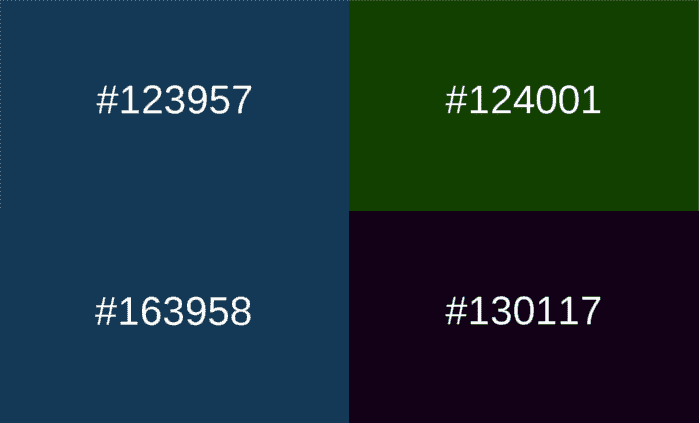
Changing the background color with JavaScript is quite common, but when you start doing it automatically and based on time, things get much more interesting. In one of my projects, I needed the page background to change constantly, reflecting the current time, without buttons or user interaction. This approach emerged from that.
In this article, I am going to show you how to change the background color with time in JavaScript, using hours, minutes, and seconds to generate dynamic colors in real-time.
Introduction: dynamic backgrounds with JavaScript
When we talk about changing the background "with time," we don't mean clicking a button, but rather having the color:
- Update automatically
- Change at a certain interval
- Depend on a time condition (hour, minute, or second)
How to change the background color with JavaScript
In JavaScript, changing the background color is quite straightforward. It is enough to access the DOM and modify the background or backgroundColor property.
Changing the body color dynamically
document.body.style.background = 'red';This changes the background of the entire page. It is the starting point for any dynamic background.
Changing the background color of a specific div
document.getElementById("contenedor").style.backgroundColor = "blue";Getting the current time with JavaScript using Date()
Although CSS allows for animations and transitions, JavaScript is the best option when the change depends on dynamic data like the current time. In my case, I needed a background that evolved second by second without user intervention.
Generating a hexadecimal color from time
We will create a function called MostrarTiempoColor() whose content will be the following:
First, we create a Date() object to get the current time (hour, minutes, and seconds):
d = new Date();
h = d.getHours();
m = d.getMinutes();
s = d.getSeconds();
This section of JavaScript code allows converting a single-digit number (the hour, minute and/or second) to two digits; adding a leading zero as needed; this way, we can form a six-digit hexadecimal regardless of the time; as we can see, the numbers to be treated correspond to the current time (the hour, minute, and second):
if(h <= 9) h = '0'+h;
if(m <= 9) m = '0'+m;
if(s <= 9) s = '0'+s;
We generate the color by combining the hour, minutes, and seconds:
color = "#"+h+m+s;We change the background color of an element; in our example, the color of the HTML document itself:
document.body.style.background = color;We insert the previously generated hexadecimal color code:
document.getElementById("hexadecimal").innerHTML = color;Changing the background color automatically every second
Now it's time to make the background update constantly. For that, we use a function and execute it recurrently.
function MostrarTiempoColor() {
 const d = new Date();
 let h = d.getHours();
 let m = d.getMinutes();
 let s = d.getSeconds();
 if (h <= 9) h = '0' + h;
 if (m <= 9) m = '0' + m;
 if (s <= 9) s = '0' + s;
 const color = "#" + h + m + s;
 document.body.style.background = color;
 document.getElementById("hexadecimal").innerHTML = color;
Using setTimeout to update the color
In my implementation, I opted for setTimeout because it allows me finer control over continuous execution.
We call the already defined function every second with the method provided by JavaScript called setTimeout; which means we update the background color every second:
setTimeout(MostrarTiempoColor, 1000);Differences between setTimeout and setInterval
- setInterval: executes without waiting for the function to finish
- setTimeout: it is chained, more stable in continuous processes
For real-time dynamic backgrounds, I prefer setTimeout.
Complete example: changing the background according to the time of day
This is the complete and functional example:
<!DOCTYPE html>
<html lang="es">
<head>
 <meta charset="UTF-8">
 <title>Fondo dinámico con JavaScript</title>
</head>
<body onload="MostrarTiempoColor()">
 <h1>Color actual:</h1>
 <div id="hexadecimal"></div>
 <script>
   function MostrarTiempoColor() {
     const d = new Date();
     let h = d.getHours();
     let m = d.getMinutes();
     let s = d.getSeconds();
     if (h <= 9) h = '0' + h;
     if (m <= 9) m = '0' + m;
     if (s <= 9) s = '0' + s;
     const color = "#" + h + m + s;
     document.body.style.background = color;
     document.getElementById("hexadecimal").innerHTML = color;
     setTimeout(MostrarTiempoColor, 1000);
   }
 </script>
</body>
</html>
Real use cases for dynamic backgrounds with JavaScript
This type of background is not just a visual experiment. I have used it for:
- Visual clocks
- Reactive backgrounds
- Creative experiments
- Automatic day / night mode
- Dynamic landing pages
Furthermore, by depending on time, the behavior is predictable and consistent.
Is this color change the same for all users?
Yes… as long as they are using the same time.
Each user sees the color corresponding to their local time. This means that:
- If two users enter at the same second, they will see the same color
- If they enter later, they will see the color that corresponds to that moment
This approach is very similar to the one proposed in time-based synchronization solutions, without the need for servers or websockets.
Common errors when changing background color with JavaScript
Some typical mistakes I've seen (and made):
- Not normalizing single-digit values
- Generating invalid hex colors
- Using setInterval without control
- Updating styles unnecessarily
- Not testing in different browsers
Avoiding these errors makes the difference between a demo and solid code.
Frequently asked questions about changing the background with JavaScript (FAQ)
- Does changing the background every second consume many resources?
- No. It is a very light change for the browser.
- Is JavaScript or CSS better for this?
- If it depends on real-time, JavaScript is the best option.
- Does it work in all browsers?
- Yes, even in old browsers.
- Can I animate the color change?
- Yes, using CSS transitions on the background property.
Conclusion
Changing the background color with time in JavaScript is a simple but very powerful technique. From something as basic as the current time, you can create dynamic, visual, and unique backgrounds without external libraries and with very little code.
If you want to go a step further, you can combine this approach with gradients, animations, or even external data. But as a base, this method is solid, clear, and easy to maintain.